How to Repurpose a Webinar and Maximise Your ROI
Discover how to repurpose a webinar into a month of high-impact content. Get a practical blueprint for creating blog posts, videos, and social media assets.
You just spent thousands of pounds and weeks of effort on a webinar. Now the recording is gathering digital dust. Sound familiar?
This "one-and-done" approach is a massive drain on your marketing budget. Webinars are expensive, and letting that asset disappear after the live event means you’re leaving a huge amount of ROI on the table. The constant pressure to create new content is relentless, but the solution isn't to work harder; it's to work smarter with the high-value content you already own.
Stop Wasting Your Most Valuable Content
This problem is bigger than you might think. Webinars are a powerhouse for B2B marketers. In fact, 23.6% of businesses already use them and plan to invest more.
But with live attendance hovering around 40-50%, you’re immediately leaving half of your registered audience behind. Repurposing changes the game. It turns a single live event into an always-on content engine that captures the 63% of viewers who watch on-demand.
You can dig into more of these UK digital marketing statistics to see just how big the opportunity is.
The True Cost of Manual Repurposing
Let's be blunt. A single-use webinar is a costly mistake. Consider the resources involved:
- Speaker Fees: Securing experts can cost thousands of US Dollars.
- Production Time: Weeks are spent planning, promoting, and polishing.
- Platform Costs: Professional webinar software licences aren't cheap.
When that effort only serves a live audience, your ROI is capped. The old way of repurposing—manually transcribing, hiring a video editor, and begging a designer for graphics—is just as inefficient. It's a slow, expensive grind that requires multiple tools and specialists.
The Smart Way to Turn One Webinar into 30+ Assets
Repurposing isn't a "nice-to-have"; it's a core strategy for generating leads and building authority. By transforming one recording into an entire content library, you solve multiple problems at once. You escape the content treadmill, cater to audience preferences (video, blogs, audio), and arm your sales team with valuable assets.
This is where RepurposeYourContent comes in. Our platform eliminates the manual work, the need for multiple tools, and the cost of hiring freelancers. We automate the entire workflow, turning one webinar into a month of content in under an hour. You can even add professional touches like time-stamps to your videos with our guide on how to time-stamp a YouTube video, making them easier for viewers to navigate.
Right, let's get practical. You've just finished a brilliant 60-minute webinar. Now what?
Too many marketing teams let that valuable asset fade away. The real magic isn't in hosting more webinars; it's about being smarter with the ones you have. This isn't about the old-school grind. It's about a simple, repeatable system that turns one hour of content into a full month of lead-generating assets.
Think of it less as a one-off event and more as the start of a continuous value cycle.
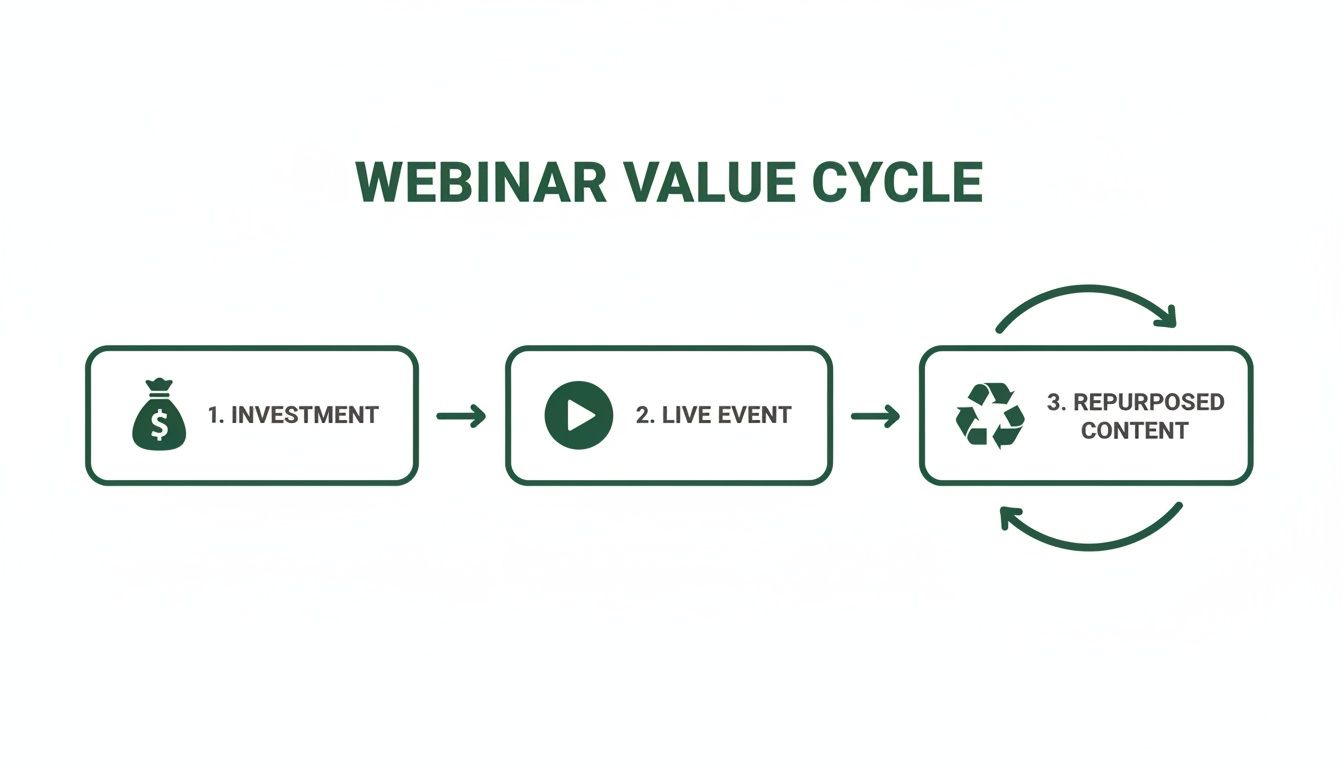
As you can see, the initial effort pays off during the live event, but the real long-term ROI kicks in when that recording becomes an engine for ongoing content creation.
Start by Finding the ‘Golden Nuggets’
First, find the best moments from your recording. Manually scrubbing through a 60-minute video is a tedious job that kills motivation before you even start.
This is where a purpose-built platform saves you time. Instead of re-watching the whole thing, you get an automatically generated, searchable transcript. This makes it incredibly easy to scan for the 'golden nuggets'—the standout moments perfect for sharing.
Look for four things that always perform well:
- Punchy Quotes: Concise, memorable lines that perfectly capture a big idea.
- Surprising Stats: Data points that make people pause and think.
- Actionable Tips: Clear, how-to advice someone can use immediately.
- Provocative Questions: Moments that challenge a common belief.
Once you have these high-impact clips, you have the raw material for a content arsenal.
Map Your Content to Your Channels
With your golden nuggets identified, it's time to be strategic. Don't just spray content everywhere. Match the right asset to the right platform with a specific goal in mind.
It’s amazing how much you can get from a single webinar when you break it down.
Stop seeing it as one recording. Start thinking of it as a goldmine of 30+ individual pieces of content. One 60-minute webinar can easily become 30 days of content.
From a typical webinar, you can effortlessly create:
- 3-5 SEO-Friendly Blog Posts: Dig deep into the main themes or answer key questions from the Q&A. We've got a whole guide on building a great B2B webinar content strategy if you want to learn more.
- 8-10 Short-Form Video Clips: 30-60 second highlights perfect for grabbing attention on LinkedIn, Instagram, and X.
- 6-16 Image Quotes: Pull the most powerful one-liners, drop them onto a branded template, and you have highly shareable social content.
- 2-3 Audiograms: Brilliant for LinkedIn where people might be scrolling with the sound on but not actively watching a video.
This approach gives you a constant flow of fresh content, saving you from the relentless pressure of the content treadmill.
One Webinar, 30 Days of Content: Your Action Plan
To make this concrete, here’s how one webinar can fuel an entire month of marketing.
| Week | Content Asset Type | Platform / Channel | Goal |
|---|---|---|---|
| Week 1 | 1 Full-Length Blog Post | Company Blog, SEO | Drive organic traffic, establish authority |
| 2 Short Video Clips | LinkedIn, X | Boost engagement, drive to blog | |
| 4 Image Quotes | Instagram, LinkedIn | Increase brand visibility and shares | |
| Week 2 | 1 Deep-Dive Blog Post | Company Blog, SEO | Target long-tail keywords |
| 3 Short Video Clips | LinkedIn, Instagram Reels | Showcase expertise, humanise the brand | |
| 1 Audiogram | LinkedIn, X | Share key audio insight | |
| Week 3 | 1 Listicle Blog Post | Company Blog, Newsletter | Provide actionable value, lead gen |
| 2 Short Video Clips | LinkedIn, X | Highlight a specific tip or trick | |
| 4 Image Quotes | Instagram, LinkedIn | Reinforce key messages | |
| Week 4 | 1 "Myth-Busting" Blog Post | Company Blog, SEO | Address common pain points |
| 2 Short Video Clips | LinkedIn, Instagram Reels | Challenge assumptions, spark conversation | |
| 1 Audiogram | LinkedIn, X | Tease future content |
This table is just a starting point. Adapt it to your audience and channels, but it shows just how much mileage you can get from a single piece of core content.
Ditch the Manual Work and Automate the Workflow
This is where most teams get bogged down. The old way involves juggling a transcription service, a video editor, and a freelance graphic designer. It’s slow, expensive, and the results often look inconsistent.
A platform like RepurposeYourContent brings all of this under one roof and automates the heavy lifting.
- Just Highlight the Text: The AI generates a transcript. Simply read through and highlight the parts you like.
- Assets Are Created for You: Based on your highlights, the platform automatically generates the content. A few paragraphs become a blog draft. One sentence becomes an image quote or a short video clip.
- Your Branding, Applied Instantly: Your logos, brand colours, and fonts are stored in a Brand Kit and automatically applied to every asset. Everything looks polished and on-brand, with zero manual design work.
This automated process collapses a multi-day project into under an hour. Stop wasting time on tedious production and focus on what matters: strategy and distribution.
Turning Transcripts Into Traffic-Driving Articles
Your webinar recording is the raw material for a powerful, long-term source of organic traffic. But the unedited transcript is just the start. The real value is unlocked when you transform that spoken conversation into a polished, SEO-friendly article that climbs the search rankings for months or even years.
This isn’t a quick copy-and-paste job. It’s a strategic process for turning a one-time event into an evergreen asset that pulls in leads on autopilot. Doing this manually is soul-crushing—hours of listening, typing, and editing. An intelligent platform delivers a structured first draft in minutes, letting you focus on high-value refinement and strategy.
From Raw Transcript to Polished Draft
First, clean up the raw transcript. AI transcription is incredibly accurate, but it captures everything—every "um," "ah," and tangent. Your first job is to create a clean, readable foundation.
- Cut the filler: Remove conversational tics and repetitions.
- Fix the jargon: Ensure technical terms and names are spelt correctly.
- Clarify clunky sentences: Rework spoken sentences that don't translate well to the page.
With RepurposeYourContent, you edit the text directly in the platform. Your changes cascade across every asset you create, ensuring every piece of content looks professional from the start.
Structuring Your Article for Readers and Search Engines
Nobody wants to read a wall of text. You need a clear structure to guide your audience and search engine crawlers. This means using headings, subheadings, and formatting to break things up.
Think of your webinar's main discussion points as your H2 headings. If your webinar was on ‘AI in Marketing’, your sections might be:
- How AI Is Changing Content Creation
- Using AI for Smarter Audience Segmentation
- The Future of Hyper-Personalisation with AI
Under each H2, use H3s to drill down into sub-topics. This structure makes your content scannable and helps Google understand its hierarchy—a massive factor for ranking.
Weaving in Keywords and Pumping Up the Value
With a clean structure, it’s time for SEO. Your goal is to turn the transcript into a resource that is even more valuable than the original webinar.
Strategically weave target keywords throughout the text, especially in headings. But don't just stuff them in. Look for opportunities to expand on points from the live session. Add updated statistics, embed a relevant chart, or link to another helpful resource. This extra value separates a lazy summary from a high-performing pillar article.
A great blog post isn't just a record of what was said; it's an enhanced version of the core ideas. It answers the reader's primary question and then anticipates their next three.
This approach pays off. Webinars are a top-performing format for UK B2B content professionals, with 51% efficacy, but their impact often dies after the live event. Repurposing into an SEO-optimised blog post captures long-term value, especially since good webinars can convert 20-40% of viewers into leads. You can find more data in the latest content marketing statistics for 2024.
Spotting Your Spin-Off Article Opportunities
Why stop at one article? A single 60-minute webinar often contains enough material for several focused blog posts. As you review the transcript, look for distinct themes or deep-dive answers that could stand on their own.
For instance, your ‘AI in Marketing’ webinar might have a five-minute segment on "Choosing the Right AI Writing Tool." That's a perfect candidate for its own post targeting a specific long-tail keyword.
With a platform like RepurposeYourContent, you just highlight that section of the transcript and instantly generate a new, focused blog draft. No starting from scratch. This is how you build out your content library at speed, turning a single asset into a comprehensive SEO strategy.
Turning Your Webinar into Social Media Gold
Your webinar is a goldmine of content waiting to be unleashed on social media. The trick is to break down that long recording into small, punchy assets that stop the scroll. That's how you grab attention where your audience actually spends their time.
This used to be a monumental pain, requiring a video editor, a graphic designer, and hours of manual work. Now, you can slice a 60-minute webinar into 30 days of social content in less time than it takes to have lunch. It’s all about working smarter to show up consistently.
Find and Clip Your "Golden Nugget" Videos
The best social content comes from a 'golden nugget' – a killer tip, a surprising stat, or a challenging question. Instead of re-watching the whole recording, a platform like RepurposeYourContent lets you scan the transcript and pinpoint these moments in seconds.
When you spot a sentence that lands, just highlight the text. The tool automatically snips that exact segment, turning it into a ready-to-share video clip.
This is a complete game-changer. Teams can generate 8-10 professional-looking video clips from a single webinar without opening a complex editing suite. Look for moments that are:
- Short and sweet: Aim for clips between 30 and 60 seconds.
- Self-contained: Ensure each clip delivers a complete thought or a single, solid tip.
- Actionable: Prioritise moments with clear, practical advice.
This simple workflow eliminates the most tedious part of video creation.
Optimise for Silent Scrollers and Vertical Feeds
A huge chunk of your audience watches social media videos with the sound off. Without captions, your message is lost. Adding them manually is a slow, soul-destroying task.
An intelligent repurposing tool handles this for you. When you clip a video, it automatically burns in dynamic, animated captions that are accurate and visually engaging.
Then there’s the format. A horizontal video looks amateurish on vertical platforms. You need to adapt your content instantly:
- Instagram Reels & TikTok: Vertical (9:16) is essential.
- LinkedIn & X (Twitter): Square (1:1) performs best.
- YouTube Shorts: Stick with vertical (9:16).
With the right tool, you just select the format, and the platform reframes the video and adjusts the captions automatically. No more wrestling with aspect ratios.
Design On-Brand Quote Images That Pop
Sometimes, a single powerful sentence hits harder than a video. Pulling memorable quotes from your transcript gives you another stream of highly shareable content. It’s easy to get 6-16 distinct image quotes from one session.
The secret to doing this at scale is a system that applies your branding automatically. You shouldn't have to bother a designer every time you want to post a quote.
RepurposeYourContent uses a Brand Kit you set up once. Upload your logo, brand colours, and fonts. From then on, every quote you create is instantly designed and ready to go, reinforcing your brand with every post.
This automation turns a slow, manual chore into a one-click action.
Create Engaging Audiograms for LinkedIn
Don't sleep on the power of audio, especially on platforms like LinkedIn. An audiogram—a short audio clip over a static image with an animated waveform—is a brilliant way to share insights with people who might be listening with headphones while they work.
They're incredibly easy to make from your webinar. Just like with video clips, find a great soundbite in the transcript, highlight it, and choose the 'audiogram' option. The platform extracts the audio, applies your branded background, and generates the animated waveform.
By creating these different snackable assets at scale, you transform a one-off event into a relentless engine for social media engagement.
Taking Your Content Global with Automation and Localisation
Creating the content is only half the battle. Real growth happens when you get those brilliant clips, quotes, and blog posts in front of more of the right people. This is about scaling your reach intelligently. It means ditching the manual grind and unlocking new audiences without piling more work onto your team.
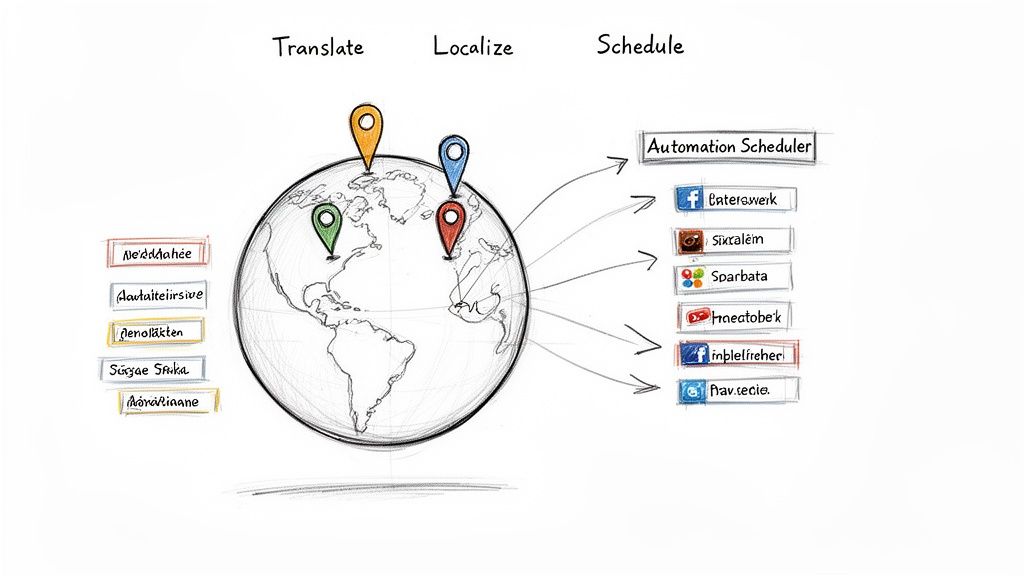
This is where you stop thinking like a content creator and start thinking like a content strategist, using automation and localisation to turn one webinar into a global lead generation engine.
Put Your Distribution on Autopilot
With a folder full of assets, the next job is getting it all out there. Manually uploading and scheduling every piece across LinkedIn, Twitter, and Instagram is a soul-destroying task that gets dropped when you get busy.
Smart automation is the answer. Instead of wrestling with different schedulers, you can build a distribution workflow that runs itself. Tools like RepurposeYourContent are built for this, letting you schedule all your new assets directly to your channels in one go.
You get a consistent drumbeat of high-value content going out, keeping your brand top-of-mind without the daily grind.
Break Down Language Barriers in a Few Clicks
The single most powerful way to multiply your webinar’s impact is to take it global. Your insights are valuable everywhere, but they’re lost if your audience can't understand you.
Not long ago, localisation was an expensive, complicated headache. Today, it's a simple, affordable way to fuel growth. Imagine your UK-based company wants to push into Europe. That one webinar could be a massive lead magnet in Germany, France, and Spain.
With the right tools, you can translate key assets—like short video clips with subtitles or a summary blog post—into over 30 languages with a click. This isn’t just translation; it’s market expansion.
This simple step transforms a local event into a powerful international asset. The UK business events sector already contributes £61.65 billion to the economy. By localising your webinar content, your firm can tap into a much larger global market. You can read more about the economic impact of UK business events to get a sense of the scale here.
Where to Go From Here
Scaling your reach is about making your content work harder for you. By pairing automated distribution with smart localisation, you multiply the ROI on every webinar you record.
Instead of hiring translators, video editors, and social media managers, use a single platform to handle it all. This is how you build a scalable system for growth.
Ready to see how easy it can be? Try RepurposeYourContent for free and turn your next webinar into a global content campaign in minutes.
Got Questions About Webinar Repurposing?
Even with a solid plan, a few questions always pop up. For many marketers, the idea of repurposing sounds like another time-suck on an already packed schedule. I get it.
Let's tackle those common worries and show you how the right tools make this process faster, easier, and far more effective than you think.
How Long Does This Actually Take?
Doing this the old way is a nightmare. To properly repurpose a one-hour webinar manually, you could burn a full day or more. It’s a slow, disjointed process that drains resources.
With an AI-powered platform, that timeline shrinks dramatically. A 60-minute recording is processed and transcribed in under 10 minutes. From there, you can create an entire month's worth of on-brand assets—blog drafts, video clips, and quote graphics—in less than an hour. The system does the tedious work, leaving you to focus on strategy.
Do I Need to Be a Video Editing Whiz?
Absolutely not. This is one of the biggest hurdles modern repurposing tools solve. Traditionally, creating high-quality assets meant being a pro with complex software or hiring freelancers, which could cost $1,000 or more for a handful of clips.
Today’s platforms are built for marketers. You can create professional video clips just by highlighting text in a transcript. On-brand images are generated from templates that automatically use your company's branding. No technical skills required.
Will AI-Generated Content Sound Generic?
That's a fair question, but the AI here works differently. It isn't inventing content; it's extracting and polishing your unique insights from the webinar. The AI-generated blog posts are well-structured, SEO-friendly first drafts that capture your authentic voice.
You’ll still want to give everything a final once-over, but it saves you from the 90% of the work of staring at a blank page. The result is authentic content that sounds like you, produced at a scale you couldn't manage before.
What If My Webinar Wasn’t Perfect?
Almost no live webinar is. That’s totally fine. The beauty of repurposing is that you are the editor, selecting only the best parts. You can easily clean up the transcript before creating assets, cutting out 'ums' and 'ahs' or off-topic tangents.
You are in complete control. You choose the 'golden nuggets'—the sharpest quotes and clearest explanations—to turn into your new content. This ensures every single asset is polished and professional.
This selective process often means your repurposed content is even higher quality than the original live event.
Stop letting your valuable webinar recordings collect digital dust. With RepurposeYourContent, you can turn one hour of content into a 30-day marketing campaign in minutes, not days. Ditch the manual grind, multiple tools, and hiring needs to finally maximise the ROI of every event you run.
Tags:




