Repurpose Webinar Into Multiple Content Formats and Maximise Your ROI
Learn how to repurpose webinar into multiple content formats. A practical guide to turning one webinar into a month of high-value content and boosting your ROI.

Think about the last big webinar you ran. Weeks of effort, securing speakers, building the deck, and hyping the live session. The cost in time and money was significant—often running into thousands of US Dollars.
Then what happened? The live stream ended, the recording got a few hundred extra views, and it was left to gather digital dust. If that sounds familiar, you're sitting on a massive, untapped asset. That webinar you produced is expensive, underutilised, and time-consuming to repurpose manually.
Your Webinar Is a Content Goldmine
That 60-minute recording isn’t just a one-off event; it’s a high-value asset waiting to be unlocked. You’ve already done the hardest part. The key is to stop seeing it as a finished product and start treating it like raw material for an entire campaign.
With this simple shift in mindset, that single hour-long session can fuel 30 days of high-value marketing material. We're talking about multiplying your webinar ROI and saving countless hours, without hiring freelancers or juggling multiple tools.
The B2B Marketer's Content Dilemma
Let's be honest, the pressure to constantly churn out high-quality content is relentless. Every B2B marketing team is fighting the same battles:
- Tight Budgets: Every marketing dollar has to be justified, which makes expensive, single-use content campaigns feel incredibly inefficient.
- Constant Demand: The sales team needs more assets, the social channels are hungry, and the blog needs fresh content to keep your SEO strong.
- Limited Time: Your team is already stretched thin. Creating new pillar content from scratch is a huge time sink that pulls them away from strategic work.
This is where a smart webinar repurposing strategy isn't just a nice-to-have; it's essential. Instead of staring at a blank page, you can just mine the expertise you’ve already captured.
Your webinar recording contains pre-vetted, expert-led content. It’s packed with compelling quotes, data points, and actionable advice—the raw ingredients for an entire month’s worth of marketing, generated in minutes.
Unlocking the Hidden ROI
By choosing to repurpose your webinar into multiple content formats, you tackle all those pain points head-on. The core work—the research, the script, the expert delivery—is already done. All that's left is to slice and reformat that value for different channels and audiences.
Imagine turning that one hour into:
- An SEO-optimised blog post that starts pulling in organic traffic.
- 6-16 short video clips for LinkedIn that actually drive conversations.
- Dozens of slick, professional image quotes for your social feeds.
- A podcast episode to reach people on their commute.
This isn’t about creating more work. It’s about making your existing work work harder. It’s a strategic move to multiply your content output without multiplying your budget. With a solution like RepurposeYourContent, you eliminate the manual work. The platform does the heavy lifting, turning your underused webinar library into a predictable content engine that fuels your entire marketing strategy.
The Automated Repurposing Workflow
Right, let’s get practical. Before we dive in, here’s a quick walkthrough of what this automated process actually looks like from start to finish.
Not long ago, turning a webinar into a bunch of different assets was a nightmare. You'd be downloading massive video files, briefing a freelance editor, pinging a designer for quote graphics, and asking a writer to turn an hour of chat into a decent blog post. It was slow, expensive, and keeping everything on-brand was a constant battle.
The new way of working scraps all of that. You start with a single video file. But instead of sending it to a small army of people, you upload it to one system built to do all the heavy lifting for you, delivering professional results with speed and simplicity.
Set Your Brand Once, Use It Forever
Honestly, the biggest time-drain with manual repurposing is brand consistency. Chasing down the right hex codes, making sure everyone’s using the correct fonts, and getting the logo placement right is a thankless task.
An automated system fixes this with a one-time Brand Kit setup. It’s simple.
You just upload your:
- Logos: Pop in your primary and secondary versions for different uses.
- Colour Palette: Your exact brand colours get applied to every template.
- Fonts: Your brand typography is automatically used on all text-based content.
This takes about 15 minutes upfront. But once it's done, every single asset—from a short video clip to an image quote—comes out perfectly on-brand, every time. No more manual design tweaks. It just works.
From One Hour to a Full Content Calendar
Once your Brand Kit is locked in, the magic happens. You upload your 60-minute webinar recording, and the platform’s AI gets to work, identifying the most powerful soundbites, key topics, and actionable takeaways in minutes.
This whole process turns a single, underused recording into a full-blown, multi-channel campaign.
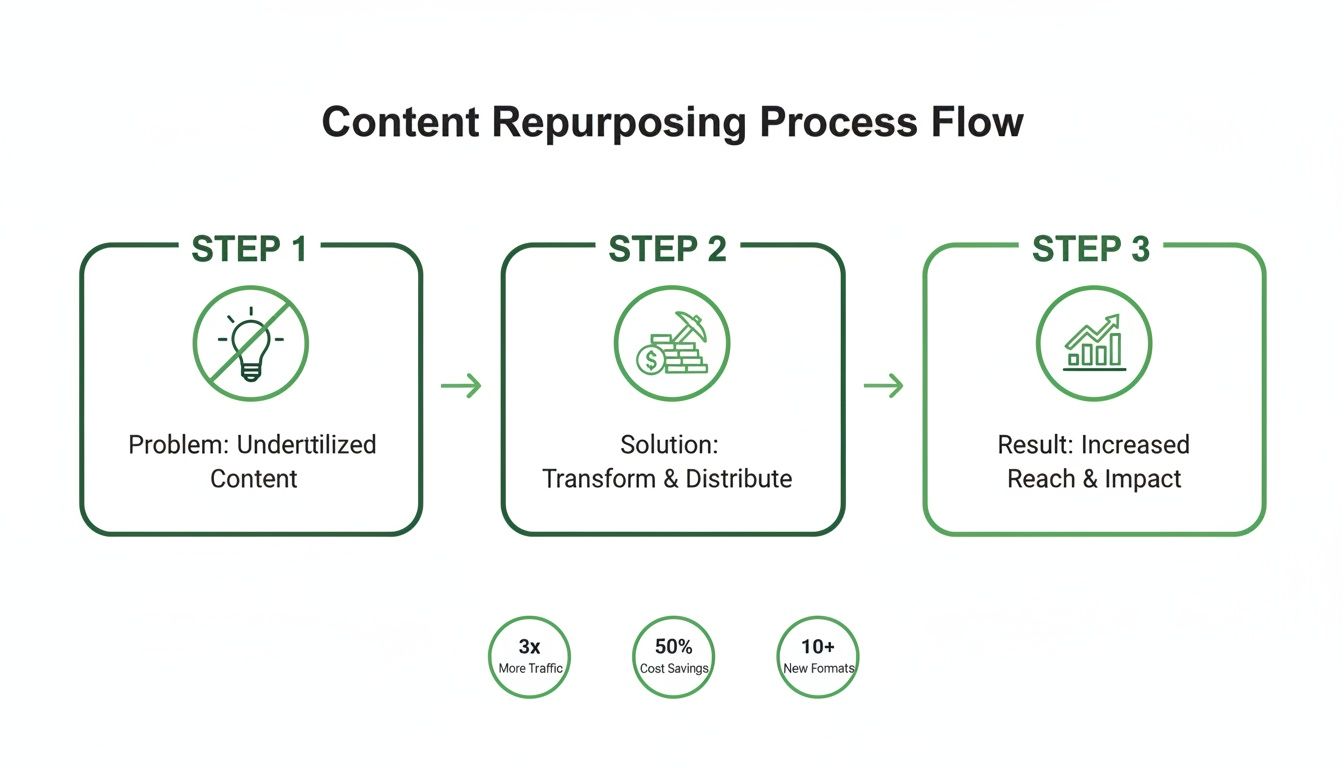
The flowchart above isn’t just a concept; it’s a map from a content headache to a content goldmine. Forget waiting days or weeks. Your dashboard quickly fills up with a whole suite of assets, ready for you to review and approve.
A single 60-minute webinar can generate an SEO-optimised blog post, 6-16 short video clips, dozens of image quotes, and a podcast-ready audiogram in about 10 minutes. The content is ready for your team's final polish almost instantly.
This isn’t just a niche tactic anymore; it’s becoming standard practice. Across the digital marketing scene, savvy businesses are already repurposing content, and webinars are a huge part of that. With more marketers planning to use webinars, getting the maximum value out of each one is no longer a "nice-to-have"—it's essential to keep up.
Manual vs Automated Repurposing Time and Cost
To really see the difference, let’s break down what it takes to get this done the old-fashioned way versus with an automated platform. The contrast in time, tools, and cost is stark.
| Asset Type | Manual Effort (Hours) | Manual Tools Needed | Automated Effort (Minutes) | Automated Platform Output |
|---|---|---|---|---|
| Video Clips (8) | 12-16 hours | Premiere Pro/Final Cut, Frame.io | 5-10 minutes | 8-12 AI-selected clips |
| Blog Post (1) | 4-6 hours | Transcription service, Google Docs | 2-3 minutes | AI-generated draft |
| Image Quotes (20) | 3-4 hours | Canva/Photoshop, Stock photos | 2-3 minutes | 20+ on-brand quotes |
| Audiogram (1) | 1-2 hours | Headliner, Descript | 1-2 minutes | Ready-to-post audiogram |
| Total Time | 20-28 hours | Multiple subscriptions | 10-18 minutes | Single platform access |
| Estimated Cost | $700-$1,500 (Freelancers) | $60-$200/mo (Tools) | From $49/mo (Platform fee) | Included in subscription |
As you can see, the manual process isn't just slower—it’s a logistical and financial drain. Automation gives you back dozens of hours and delivers ready-to-use assets for a fraction of the cost, letting your team focus on strategy instead of being bogged down in production.
This is your new content command centre. A single upload creates an entire campaign's worth of material, all perfectly branded and ready for every channel.
You can finally stop juggling different software for video editing, graphic design, and transcription. A platform like RepurposeYourContent handles it all, from finding the best clips to writing the first draft of your blog. If you want to see just how easy the video part is, check out our guide on using a webinar clip generator. This workflow frees your team to do what they do best: thinking strategically, not wrestling with production tasks.
Your 30-Day Distribution Plan
You've done the work and now you have a full suite of on-brand assets. That's a huge win, but it’s only half the battle. The real ROI comes from getting that content in front of the right people, consistently. This is where a smart distribution plan turns that one-hour event into a month-long campaign.
The goal here is to stop thinking in terms of one-off posts and start building a deliberate, channel-specific presence. Instead of your team scrambling for new content ideas, this schedule lets you plan once and execute for weeks. You'll reinforce your expertise and build authority, all without the usual burnout.
This isn't just a clever tactic; for many lean marketing teams, it's a necessity. As budgets get tighter, marketers are leaning heavily on content repurposing to navigate economic uncertainty. Webinars, in particular, are seen as repurposing goldmines, allowing one live session to fuel a whole range of digital channels.
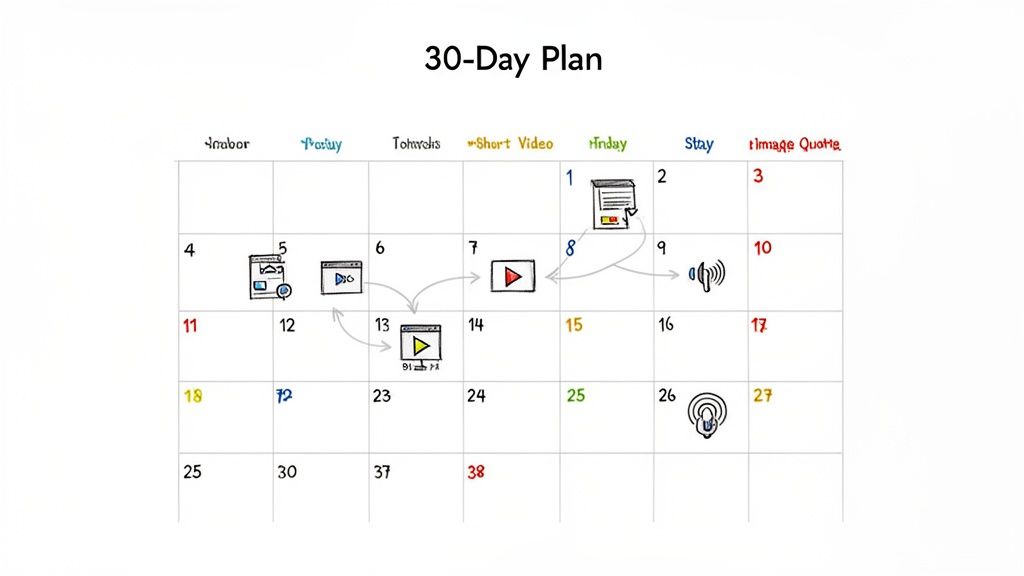
Week 1: The Initial Push
The first week is all about making a big splash. You want to capture the immediate interest of people who attended and create FOMO for those who missed out.
- Day 1 (Monday): Publish the full SEO-optimised blog post on your website. This is your content pillar—the central hub for the entire campaign, designed to draw in organic traffic. Announce its arrival with a value-packed post on LinkedIn.
- Day 3 (Wednesday): Drop your first short-form video clip on LinkedIn. Pick a powerful, attention-grabbing soundbite that teases the webinar’s best insights and links back to the full blog post.
- Day 5 (Friday): Post a sharp, well-designed image quote on Instagram and Twitter. This visual is perfect for quick hits, reinforcing a key takeaway in a highly shareable format.
Week 2: Building Momentum
With the initial buzz created, now you introduce different formats to keep the conversation going and reach new segments of your audience.
- Day 8 (Monday): Time for audio. Release the audiogram as a podcast episode to capture people who prefer listening during their commute or workout. You've just opened up an entirely new channel with minimal effort.
- Day 10 (Wednesday): Share a second video clip on LinkedIn. This time, focus on a practical tip or a surprising statistic that makes people stop scrolling.
- Day 12 (Friday): Keep the visual content flowing with another round of image quotes across your social channels. Consistency keeps you top-of-mind.
This structured approach is what turns a one-time event into a genuine marketing campaign. You’re not just randomly posting; you're strategically dripping value over time to maximise engagement and generate leads.
Weeks 3 and 4: Sustaining Engagement
The final two weeks are about reinforcing your message, reusing your best-performing assets, and driving everyone back to your core content pillar.
- Week 3: Keep sharing a mix of your video clips and image quotes. By now, you should have data on what’s resonating. Don’t be afraid to re-share your top performers, linking back to the blog post.
- Week 4: Wind things down with a final promotion of the full blog post and the on-demand webinar recording. Use your most compelling video clip—the one that summarises the single most important takeaway—as your last big push.
This entire 30-day calendar is fuelled by the assets generated from a single one-hour recording. When you have this library of content created for you in minutes, your team can stop worrying about tedious production and focus entirely on executing these high-impact content distribution strategies.
How to Measure Your Repurposing ROI
Alright, so you’ve turned one webinar into a month’s worth of fantastic assets. But how do you prove it was worth it? To justify this strategy, you need to connect that content back to real business results.
That means looking past vanity metrics like likes and shares. We need to focus on data that shows a clear return on investment.
When you repurpose a webinar into multiple content formats, you're creating an ecosystem of touchpoints. Each piece, from the blog post to the social media clips, needs its own performance indicators. By tracking these properly, you can build a compelling case that shows you’re making smarter, more efficient content that directly impacts the bottom line.
Tracking What Truly Matters
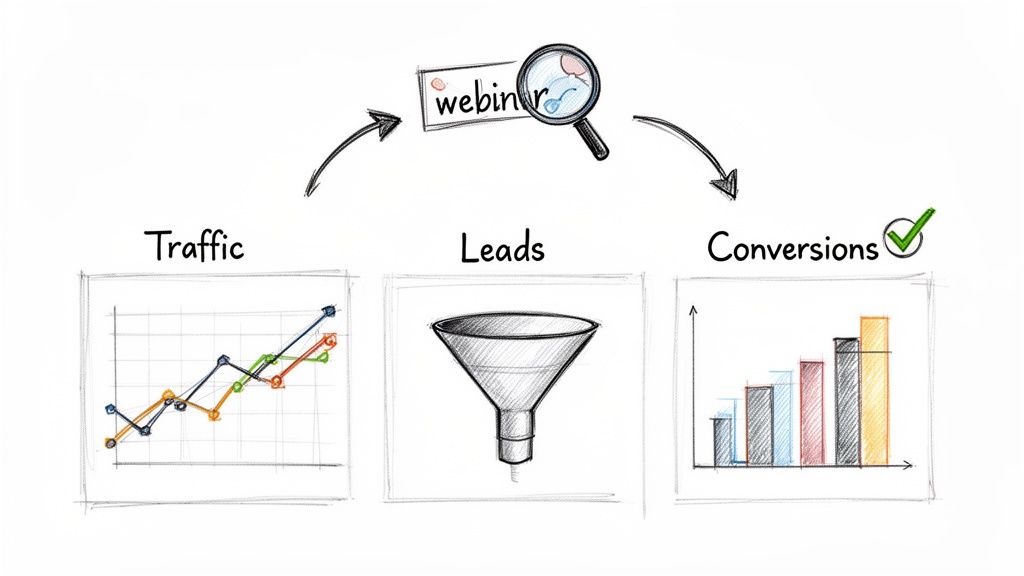
Let's get specific. The main goal is to trace website traffic, leads, and eventually, sales, right back to the content you created from that single webinar. This means getting your tracking set up for each asset type.
For your core content pillar, the SEO-optimised blog post, you should be watching:
- Organic Traffic: How many new people is the post attracting from search engines?
- Keyword Rankings: Is the post climbing the search results for the keywords you’re targeting?
- Leads Generated: How many visitors downloaded a resource or filled out a form after reading?
Now, for your social media assets, like the short video clips and image quotes, the focus shifts. You're looking for engagement that drives action:
- Click-Through Rate (CTR): What percentage of people who saw your post actually clicked the link back to your blog or landing page?
- Engagement Rate: Are people commenting and sharing? This is a great sign the content is hitting the mark.
- Website Referrals: This is where UTM parameters become your best friend. Use them to see exactly how much traffic each individual social post is driving.
By tagging every single link with unique UTM codes, you can follow a user's journey from a LinkedIn video clip all the way to a demo request. This is how you connect a repurposed asset directly to revenue.
Building the Business Case
Once you start pulling this data together, the story practically writes itself. You can walk into a meeting and confidently report that a single webinar, which cost $5,000 to produce, ended up generating 25 qualified leads and influenced $50,000 in the sales pipeline—all thanks to its repurposed assets.
Suddenly, the conversation shifts from content costs to content investment.
This data-first approach is the key to proving real value. We break down exactly how to connect these dots in our guide on how to maximise your webinar ROI.
With a platform like RepurposeYourContent, the initial investment is low, which makes the ROI calculation even more powerful. It handles the asset creation, freeing up your team to focus on smart distribution and analysis. You get everything you need for a multi-channel campaign without hiring freelancers or juggling multiple tools, making it dead simple to prove a massive return.
It's Time to Start Repurposing Your Webinars
Let’s get straight to it: your past and future webinars are your most underutilised content assets. They’re packed with expertise and powerful quotes that are far too valuable to be left gathering dust after a single live event.
That expertise you’ve already captured is the raw material for weeks, even months, of high-impact marketing.
The biggest barrier is the manual effort. It’s painfully slow, shockingly expensive, and demands a mix of skills—from video editing to copywriting—that most marketing teams don't have in-house. Juggling multiple tools, freelancers, and endless review cycles drains your budget and your team's energy, often for inconsistent results.
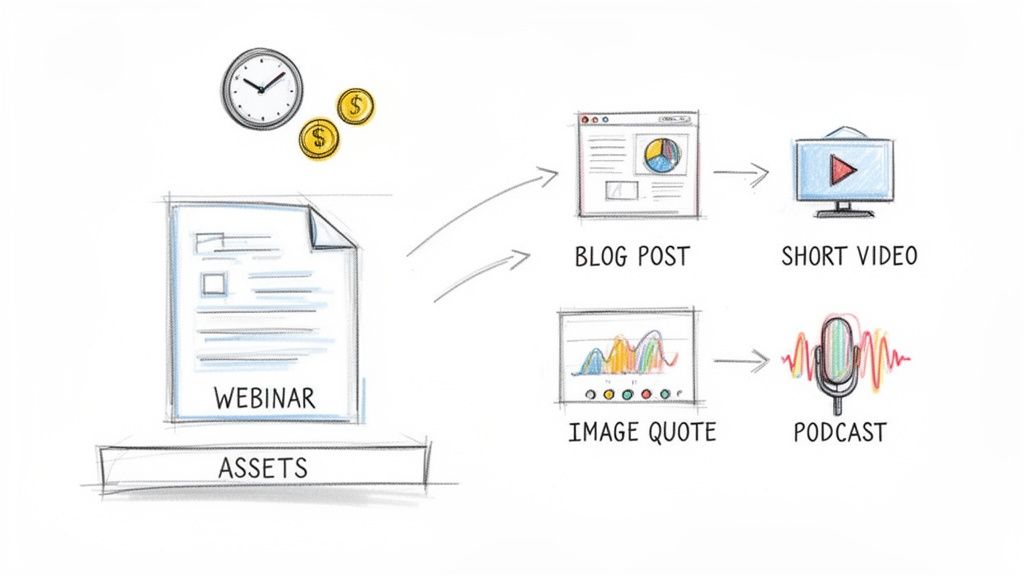
A Smarter, Faster Way Forward
The solution is moving to an automated, all-in-one platform built specifically to repurpose a webinar into multiple content formats. Instead of manual drudgery, you get an efficient system that saves countless hours and slashes costs by eliminating the need for extra tools or hires. Best of all, it delivers professional, on-brand results every single time.
With a platform like ours, the whole process becomes ridiculously simple:
- Upload your recording from any source.
- Let the AI find the best clips, quotes, and key themes.
- Generate all your assets—from blog posts to video clips—in minutes, not days.
This approach completely transforms your content workflow from a production bottleneck into a strategic advantage. It frees your team to focus on what actually matters: distribution and engagement, not tedious editing tasks.
Your team's time is your most valuable resource. Stop spending it on manual production and start investing it in strategy. An automated platform can turn a 60-minute webinar into 30 days of content in less time than it takes to grab a coffee.
Your Next Step Is Simple
Getting started is straightforward. With transparent pricing that includes a free starter plan, you can see the benefits for yourself without any commitment.
Honestly, the cost of inaction—letting thousands of dollars worth of amazing content go to waste—is far greater than the small investment in automation.
Stop letting your best content disappear. Try RepurposeYourContent for free and see how quickly you can turn your next webinar into a month of powerful, lead-generating marketing assets. It’s time to unlock the full potential of your content library.
Your Questions, Answered
If you’re on the fence about webinar repurposing, you’re not alone. We get a lot of the same questions from marketers who are intrigued but hesitant. Let's clear up a few of the most common ones.
Just How Much Content Can I Realistically Get From a Single Webinar?
This is where it gets really exciting. A standard 60-minute webinar isn't just one piece of content; it's a goldmine.
From that one recording, you can genuinely pull:
- An SEO-friendly blog post clocking in at 1,500+ words.
- Anywhere from 6 to 16 short, punchy video clips perfect for social media.
- Over 20 slick, on-brand image quotes ready to post.
- A full audiogram of the session, basically an instant podcast episode.
- A complete, accurate transcript for accessibility or mining for more ideas.
No exaggeration. That one hour of content can fuel your marketing calendar for a full 30 days. It’s the perfect antidote to the pressure of constantly having to dream up new pillar content from scratch.
Will the AI-Generated Content Sound Like a Robot Wrote It?
It's a fair question. We’ve all seen clunky, awkward AI content, but the technology has come a seriously long way.
The content you get from a platform like ours isn't designed to be a final, hands-off product. Think of it as an incredibly well-researched first draft that you get in seconds, not hours.
The AI does all the heavy lifting—the transcribing, finding the key themes, and giving it all a structure. Then, your team steps in to add their magic, polishing the final draft with your unique brand voice. This workflow cuts creation time by about 80% but ensures the final piece is still authentic and high-quality.
The point of automation isn't to replace your talented marketers. It's to make them exponentially more efficient by freeing them from the tedious production grind so they can focus on strategy and creative thinking.
Using an automated solution means you can repurpose your webinar into multiple content formats without sacrificing an ounce of quality. It’s about getting more done without needing a dozen different tools or a team of freelancers.
Stop letting your best content collect digital dust. RepurposeYourContent turns those forgotten recordings into a content engine that works for you. See for yourself how fast you can generate a month's worth of on-brand assets. Start for free and see the magic happen.
Tags:




