How to Turn Blog Posts Into Videos That Actually Perform
Learn how to turn blog posts into videos with a proven workflow. Pick the right posts, write spoken scripts, and choose formats that drive views and leads.

Many teams get this backward. They try to turn blog posts into videos by pasting paragraphs into a tool, then wonder why the result feels flat. The better move is to start with the posts your audience already proved they care about, then rewrite them for spoken rhythm and the right video format.
That matters because turn blog posts into videos is not a copy-paste job. It is an editorial conversion, and the script is the hard part.
Your Analytics Already Ran the Focus Group
The biggest mistake in blog-to-video work is treating every post like equal raw material. Your traffic data already tells you which topics have demand, which angles pull attention, and which posts deserve a second life on screen. If a post has already earned attention in search, it is a stronger candidate than a topic chosen from a whiteboard.
Start with the posts people already chose
The first batch should come from your highest-traffic evergreen posts, especially the ones that still attract steady readers. Those pages are your pre-validated focus group. You are not guessing what people want to watch, you are taking proof from behavior and moving it into a feed-native format. That is a much safer bet than filming something because it sounds interesting in a meeting.
One practical way to rank candidates is simple. Pull your top ten posts, then tag each one for visual potential. Posts with a framework, process, before-and-after story, or strong point of view usually convert better than reference-heavy explainers. A post can be popular and still fail on video if it has no spoken momentum.
Practical rule: choose the posts your audience already clicked, then narrow again by whether the topic can be shown, narrated, or demonstrated.
That approach fits the distribution shift too. Short-form video now sits on major platforms, including YouTube Shorts, TikTok, and Instagram Reels, which is why a blog-to-video workflow is usually built around 9:16 exports, captions, and social publishing, not long web-page reading (platform history and audience scale). YouTube said Shorts reached 2 billion logged-in monthly users in 2023 in the same source, which shows how much reach already exists for repurposed content.
For a broader view of why repurposing matters, the numbers are already laid out in this content repurposing statistics roundup.
Build a priority list, not a content wish list
A useful order is usually:
- High traffic, high visual potential.
- High traffic, moderate visual potential.
- Strong conversion intent, even if traffic is lower.
That third bucket matters when a post teaches a process or solves a problem. Those posts translate cleanly into a spoken script and a simple visual sequence. Posts that are mostly definitions or historical context often sit lower, even if they rank well.
The point is not to turn your whole archive into video. The point is to start with the pages that already earned attention, then choose the ones that can survive being spoken aloud. That is the difference between repurposing and random production.
Which Blog Posts Actually Script Well
Traffic tells you what people read. It does not tell you what they will listen to. A post can rank well and still produce a dead script if the writing depends on dense definitions, long lists, or phrasing that only works on a page.
Use the spoken-energy filter
The best-performing blog posts usually contain a contrarian claim, a numbered framework, or a before-and-after story. Those are easy to say out loud. They create rhythm, which is what a listener needs. A process post that says, “first, do this, then do that,” also tends to script well because the pacing already exists.
The weakest candidates are reference-style pages. Long definitions, sprawling glossary sections, and endless bullet lists read fine in search, but they go flat in audio or on camera. If a section only works because the reader can scan it, it is probably not the right core for video.
A clean test helps. If someone would naturally say it to a client on a call, it scripts well. If it sounds stiff when spoken, leave it in the article and keep the video focused on the stronger parts.
Score each post before you touch the script
A practical audit looks like this:
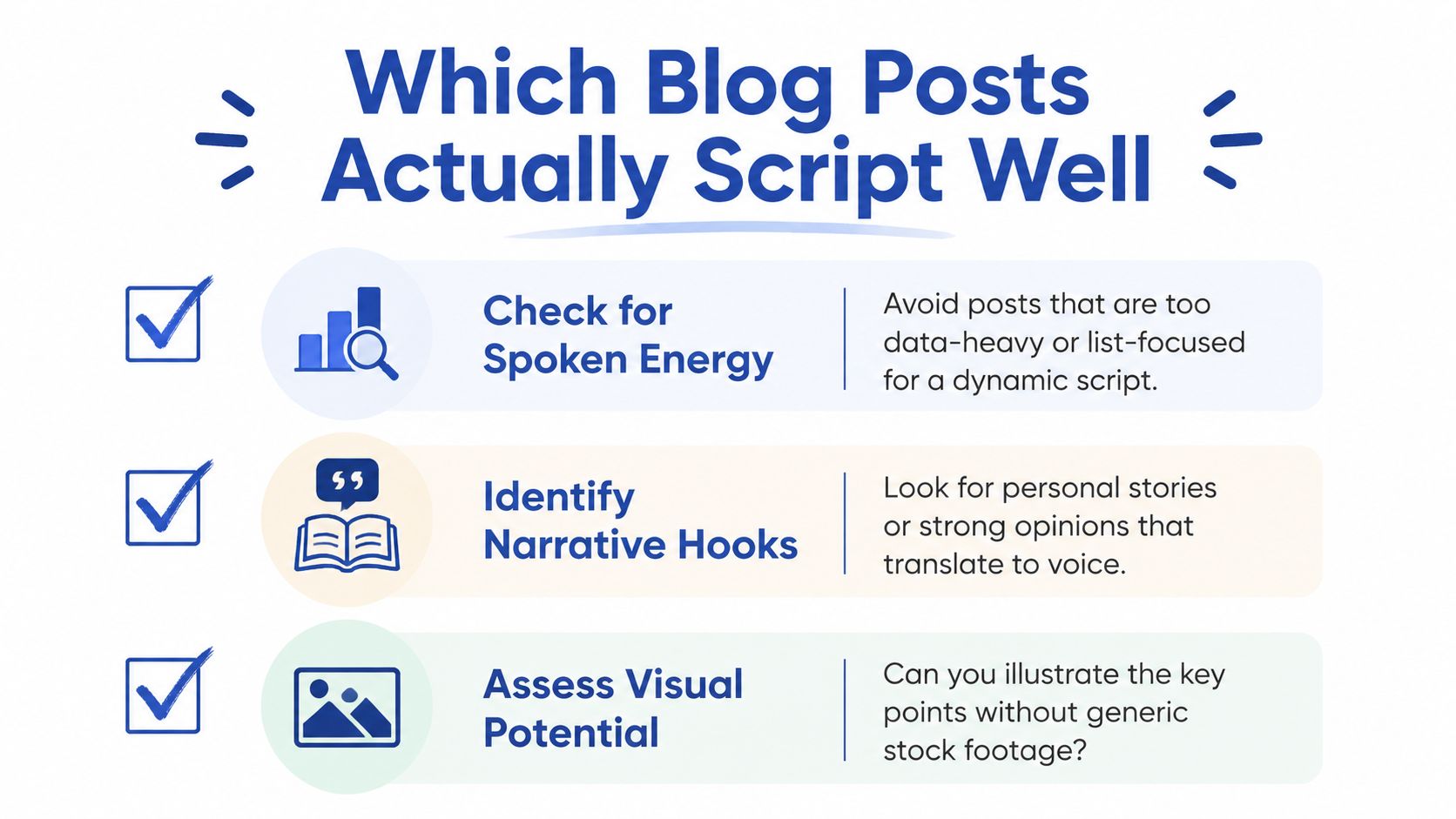
- Check for spoken energy. Avoid posts that are too data-heavy or list-focused for a dynamic script.
- Identify narrative hooks. Pull out stories, strong opinions, or a clear problem and solution.
- Assess visual potential. Ask whether the idea can be shown without filler footage.
That final point matters more than many teams admit. A post about a process, workflow, or comparison is easier to visualize than a pure opinion piece. The workflow guidance in a YouTube tutorial also tracks with this approach, recommending that you select high-intent articles, condense them into a spoken script, and then map each segment to a visual beat before editing (workflow guidance).
A practical one-line filter for your team is this. If the topic can support a clean visual beat every few seconds, it belongs higher on the list.
This is also where the internal workflow matters. A blog post that converts well into a video usually also repurposes cleanly into other formats, as shown in this content-to-many-formats guide.
Rewriting for Spoken Rhythm
Blog posts are written for readers. Video scripts are written for listeners. That gap is where most DIY conversions break down, because reading a paragraph aloud usually sounds stiff, overpacked, and harder to follow than the original article.
Rewrite the page, don't narrate it
The first move is compression. Shorten long sentences. Strip out clauses that add length but not meaning. Replace abstract phrasing with concrete language that sounds natural in speech. If a sentence needs to be reread on the page, it will usually drag on camera too.
A clean structure helps. Adobe recommends identifying around 5 to 10 key ideas from the article and treating each as a separate scene, then breaking the script into a hook, main content, and closing CTA (Adobe workflow). That gives the script shape instead of making it feel like a read-aloud.
Here is a simple before-and-after example.
Written style: “Companies that want better content performance should consider repurposing their existing blog library into video because it can extend reach across multiple channels and help improve content efficiency.”
Spoken style: “Your blog library already has strong ideas. Turn the best posts into video, and you get more reach from work you already did.”
The second version works better because it is shorter, more direct, and easier to say. It also sounds like a person talking, not a paragraph being recited.
Build the standard outline
A strong repurposed video usually follows this sequence:
- Hook. Restate the boldest claim as a question or challenge.
- Payoff. Say why the viewer should care.
- Three key points. Pull them from the post's H2s and attach one concrete example to each.
- Close. Point to the full article or the next step.
That structure usually produces one 60 to 90 second talking-head script plus two or three shorter single-point clips from the same post. It is efficient because the same source article can feed multiple outputs without forcing a separate brainstorm for each one.
One more rule matters. Keep the lines short enough to breathe. A script can be polished later, but if it does not sound natural in one read-through, the camera will expose it immediately.
For teams building a transcription-first workflow, this guide on automatic video transcription is useful background for the reverse direction too.
Choosing the Right Video Format for Each Post
Most blog-to-video coverage stops at export settings. That's the wrong question. The key question is which format matches the post's intent, because a tutorial, a point of view piece, and a list post do not deserve the same treatment.
Match format to content type
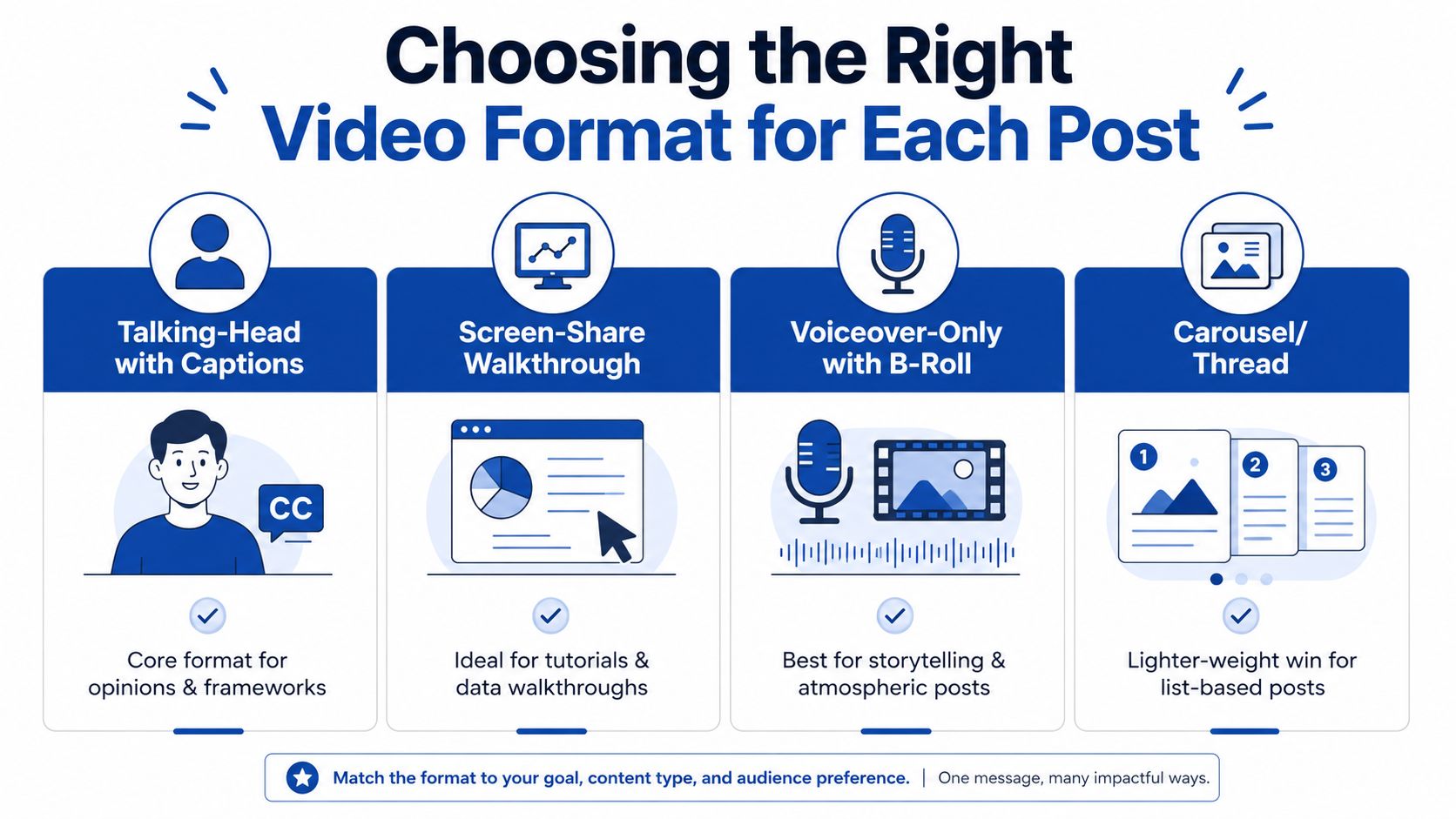
For most B2B posts, talking-head with bold captions is the core format. It works well for opinions, frameworks, and high-trust explanations because the speaker becomes the signal. Use it when the post has a clear thesis and the goal is authority, not demonstration.
Screen-share walkthroughs fit process posts and data-led explainers. If the article teaches a workflow, shows a dashboard, or walks through steps, screen capture gives the viewer something concrete to follow. That format feels credible because the visuals are doing real work.
Voiceover-only works when the article is more atmospheric or story-led. It also fits podcasts and audio-first assets, where the spoken track carries the message and the visuals support mood rather than instruction. It is a better choice than forcing a face-on-camera format for every topic.
Carousel or slide-deck video is the lighter-weight win for list-based posts. It is useful when the article has tight, punchy sections that can be broken into compact panels. Social Media Examiner recommends keeping slide copy to no more than 10 to 15 words per slide, which is the right discipline for turning text into something people can scan (slide-copy guidance).
Avoid the fake visual problem
Stock footage montages are the trap. They look busy, but they usually read like filler. If the article already contains a framework or a data point, use simple text-on-screen, a chart, a screen recording, or branded slides instead. That keeps the video tied to the idea.
ESEOspace's repurposing guide also suggests using existing SEO structure, including H2 headers as video segments and matching target keywords in the title, description, and tags, plus linking back to the original post in the description and pinned comment (SEO repurposing guidance). That works best when the post's structure is already clean and easy to segment.
For platform-specific format choices, this B2B LinkedIn format guide is a useful companion.
The True Cost of DIY Blog-to-Video Conversion
DIY conversion looks simple until the clock starts. The post has to be read, trimmed, rewritten, recorded, edited, captioned, and exported. That is a content task, a performance task, and a production task all at once.
The hidden hours add up fast
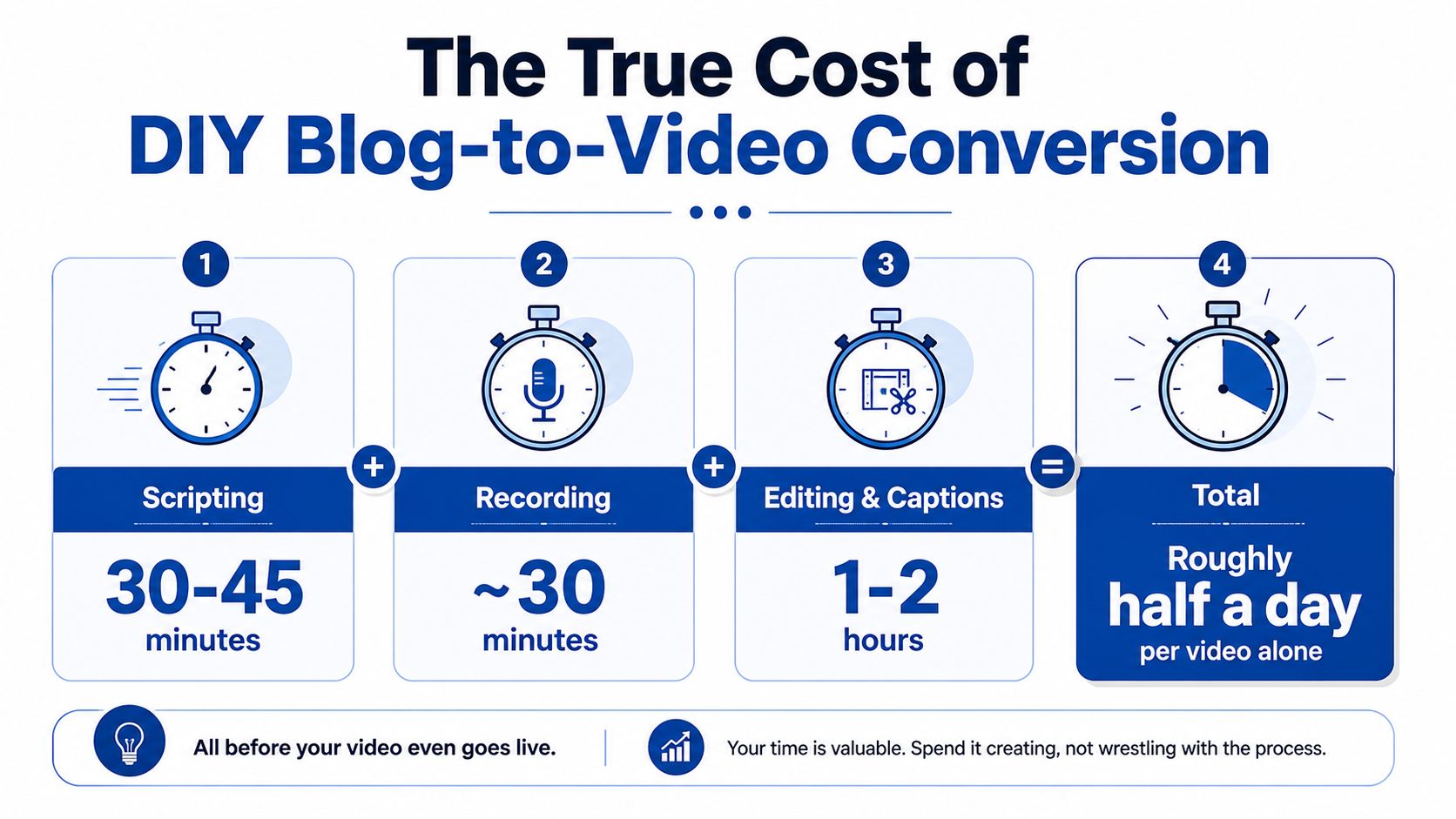
A realistic solo workflow usually looks like this. Scripting from an existing post takes 30 to 45 minutes, recording takes another 30 minutes, and editing plus captions takes 1 to 2 hours. That adds up to roughly half a day per video when one person handles everything.
That estimate is consistent with the practical workflows that start by cleaning up the source article, removing internal links and CTAs, then adjusting scene timing and export settings. One workflow recommends 1080p for YouTube and 1080x1920 for vertical platforms, which is another layer of production detail that still needs attention before publishing (step-by-step workflow).
A blog post is not finished when the article is published. For video, the work starts again at the sentence level.
If you convert ten posts manually, that is not a quick sprint. It is a serious chunk of a work week, and that assumes the first takes shape cleanly. If the script is weak, the edits stretch.
Use lighter-weight formats when video is too heavy
Not every repurpose needs to become a full video. Blog-to-carousel and blog-to-thread are faster wins when you want distribution without a full edit cycle. They still require tight writing, but they avoid recording, scene timing, and export management.
That is also why video-to-text scales better than text-to-video. If the source starts as a recording, one strong performance can be turned into clips, posts, and articles. Starting with text and forcing it into video creates extra rewriting before production even begins. That is why the reverse direction is often the more efficient content engine.
The agency-versus-DIY decision matters here too. A practical comparison is laid out in this agency versus tools guide, and the time math usually explains the outcome better than the software comparison does.
The done-for-you alternative is simpler. Send one recording, podcast, webinar, keynote, interview, or meeting recording, and the team delivers 20 to 30 ready-to-publish assets in 72 hours. That can include video clips, LinkedIn posts, quote graphics, carousels, audiograms, and a blog post, all in brand voice with unlimited revisions. Your time is about 15 minutes.
Your Next Move
The smartest blog-to-video strategy is not a broad creative experiment. It is a focused conversion of the posts your audience already proved they want. Your analytics already did the hard part. They told you which topics have demand.
The next step is to pick the top ten posts, score them for spoken energy, and choose the format that fits each one. Then rewrite for listening, not reading. That is where many teams lose time, and where many DIY attempts start to feel expensive.
For teams that want the reverse workflow, the one recording to many assets model is usually faster. A single 45-minute recording becomes 30 assets, and the output can be built around the same core ideas that now power your blog strategy. Plans start at $14 per finished asset, and the turnaround guarantee is 72 hours or you don't pay.
If you want a clean sample or a booked call to see how your own blog library can become video, request one now and compare it against the hours your team would spend doing it manually. Start with the video content calendar template, then book a call or request a sample with RepurposeYourContent.
Tags:


