Course Creator Content Marketing Strategy: A 2026 Guide
Master a practical course creator content marketing strategy by repurposing lessons, student wins, and launch cycles to grow your audience.

You can teach a course all month and still have no marketing left at the end. That happens when every lesson, email reply, and student call gets made from scratch, while the content calendar stays empty. A strong course creator content marketing strategy fixes that by turning what you already teach into public trust, then into a repeatable sales engine.
The point isn't to post more. The point is to make your teaching do double duty. Course sales depend on audience trust, and trust grows when people see your thinking in public, not just inside a paid program. That makes your marketing the free tier of your teaching, drawn from material you've already recorded.
The Time Trap Every Solo Course Creator Faces
A solo creator's day gets eaten fast. Morning support emails. A student call that runs long. Two lessons recorded. A sales page tweak. By the time the work ends, the content calendar is still blank.
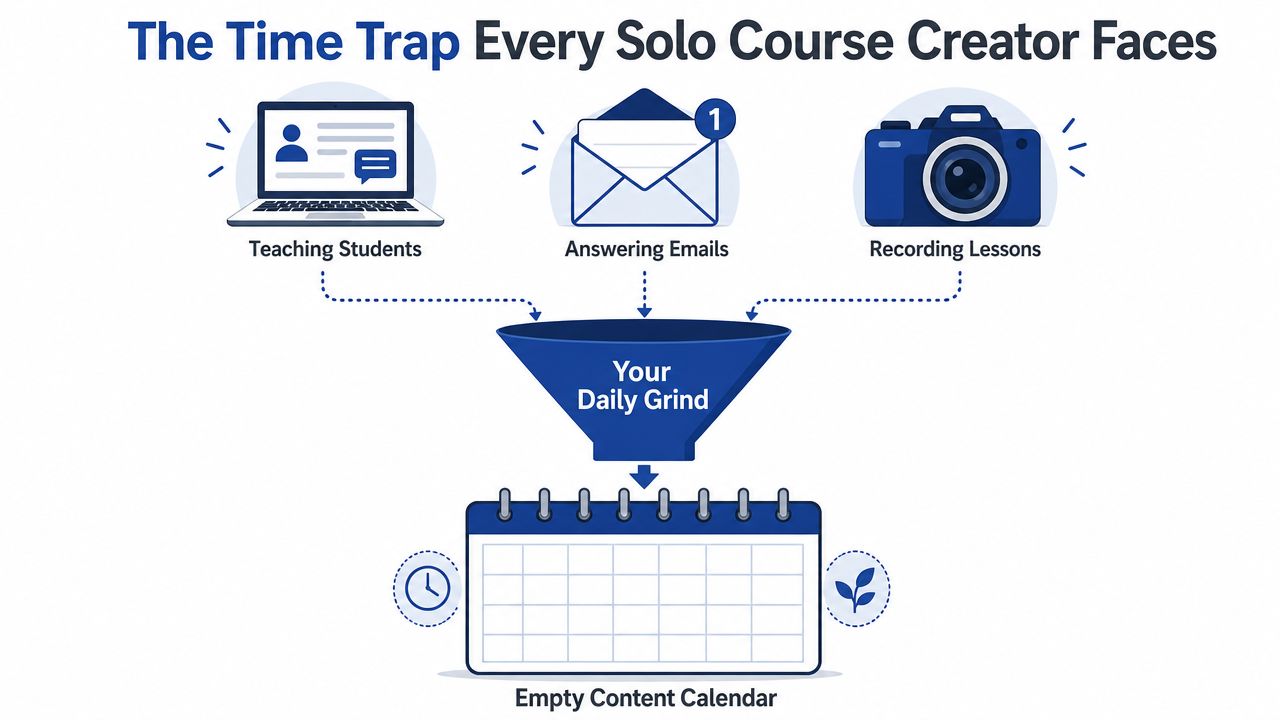
That's the primary bottleneck. Not ideas. Not expertise. Repackaging. A creator can have a full library of lessons and still fail to market, because the work that creates trust sits in a separate pile from the work that creates demand.
Practical rule: if a lesson already teaches a useful idea, it can become marketing without becoming fluff.
The harder truth is that course sales don't usually happen on the first touch. A 2026 analysis of online courses says typical course conversion rates sit at 1–3% Acceleroi. That means many potential students need repeated proof before they buy. Teaching in public does that. It shows the method, the voice, and the outcome.
For a creator working a 40-hour week, the problem becomes obvious. If teaching takes the day and admin fills the gaps, there's no spare block for fresh content ideation. That's why the smartest move is usually not inventing new topics. It's mining the course itself.
The content marketing starting point is simple. Plan around audience demand, not personal convenience. The standard framework starts with topic research, customer personas, and channel choice, then builds repeated distribution from one strong asset SalesGenie. For a course creator, that asset is already sitting in the curriculum.
How scaling content production works without hiring a full team matters here because the DIY trap is usually not strategic. It's operational. The creator knows what to say, but not how to multiply it fast enough to keep publishing.
Your Curriculum Is Your Content Calendar
The cleanest content system is already inside the course outline. Each module can become a recurring pillar, and each lesson can become a post, clip, email, or case study angle. That's the curriculum-as-calendar method, and it keeps marketing tied to the way you teach.
A strong course content strategy usually splits into three pillars, educational content, social proof, and behind-the-scenes content Averi. Those pillars map neatly to a curriculum. Educational lessons become authority posts. Student results become proof. Your build-in-public moments become connection content.
A simple way to map one module
Take a fictional six-module course on freelance pricing. Module 1 is confidence. That module can anchor a week of short videos on pricing fear, a carousel on common undercharging mistakes, and a newsletter about the first fee conversation. Module 2 might cover offer structure, which becomes another cluster of assets.
A useful one-page template looks like this:
- Down the left side: write each module or lesson.
- Across the top: add formats, like clips, carousels, emails, and student examples.
- Fill one row per module: write one angle for each format.
- Stop when the calendar is full: you now have a 90-day plan without guessing.
That works because the message stays coherent. The audience keeps hearing the same core method through different doors. That repetition builds recognition without sounding repetitive.
The best course creators don't treat lessons as one-time teaching events. They treat them as source material. For a deeper tactical version of that mindset, see how course content feeds ongoing marketing. The underlying idea is the same. One curriculum can drive a full publishing calendar.
A good monthly rhythm also stays simple. One primary platform. A few posts. A newsletter or two. One lead magnet push. One student spotlight. That keeps the calendar tied to the offer instead of drifting into random posting.
Three Phases That Cover Pre-Launch, Launch, and Evergreen
A course launch needs different content at different times. Before launch, the job is to collect attention and email addresses. During launch, the job is to turn interest into action. After launch, the job is to keep the course selling without a new sprint every week.
Phase one, pre-launch
Pre-launch should start with teaser moments from finished lessons. Clip short proof points from the course. Share a few live sessions. Pull out questions your audience already asks. The goal is to build a list before asking for a sale.
That is where the time problem shows up again. DIY clipping often takes 2 to 3 hours per recording, before captions or design even start. A creator can spend a whole morning on one lesson and still only get a few posts out of it.
Phase two, launch
Launch works best as a tight two-week burst. Every lesson and every webinar gets turned into daily clips, carousels, and posts with enrollment CTAs. The rhythm matters more than novelty here. Buyers need repeated exposure while the offer is open.
One strong launch asset can feed the whole burst if it's cut into enough angles.
The launch replay should also live on. A webinar that explains the transformation is not just an event. It becomes a trust asset. This webinar content marketing approach is useful because the replay can be clipped, quoted, and reused after the live date passes.
Phase three, evergreen
After launch, consistency beats intensity. In months one to three, a course creator can shift to a steadier weekly rhythm, with lesson-derived content and SEO articles built from the curriculum. One long-form session can anchor the week, while the rest of the calendar fills around it.
The pattern is easy to remember. Month 0 is daily launch content. Month 1 drops to a few posts a week and adds search-based articles. Months 2 and 3 settle into one long-form session repurposed into the week's content. That's the compounding phase.
For teams that need the broader operational view, content strategy for small marketing teams helps frame the same logic without relying on constant manual work.
Discovery Content Versus Sales Content
Short clips help people find the course. Longer assets help them buy it. That split matters because a course creator content marketing strategy needs both layers, not just more reach.
The discovery layer moves fast. TikTok, Reels, and short video clips create entry points. Education content also gets solid engagement across major platforms, with analysts at Acceleroi reporting an average engagement rate of 3.92%, broken out as 4.25% on TikTok, 3.06% on YouTube, and 2.85% on Instagram Reels.
The decision layer moves more slowly. Buyers usually want free lesson previews, webinar replays, and email sequences built from course content before they commit. That matters even more in a market where direct response is weak and trust does the heavy lifting.
What to prioritize at each stage
- For discovery: short-form clips, daily posts, and quick teaching moments.
- For consideration: deeper lesson previews, Q&A replays, and objection-handling emails.
- For conversion: proof assets, cart-abandonment sequences, payment-plan messaging, and strong calls to action.
Those conversion assets matter because they bring back people who would otherwise drop out. Payment plans can recover 20–30% of potential buyers. Three-email cart-abandonment sequences can recover 10–20% of lost sales. Video testimonials also convert 2–3× better than text testimonials Acceleroi.
That changes the content mix. A clip may earn the click, but it rarely closes the sale alone. The sale comes after repeated proof, clear explanation, and a path that feels safe.
Zero-click content strategy for B2B teams is relevant here because the same idea applies to course creators. Some content should give value before the click. Some content should carry the buyer all the way to the decision.
A practical rule works better than a big theory. Use clips to earn attention. Use deeper repurposed assets to earn trust. Use email to turn trust into enrollment.
Mining Student Questions and Wins for Promotion Material
The easiest content source is usually already in the room. Student questions reveal what the market is stuck on. Student wins show what the course changes. Both can become ongoing promotion material if permission is handled properly.
Turn questions into content
When a student asks, “How do I price without sounding expensive?”, that question can become four or five assets fast. It can become a short clip, a LinkedIn post, a carousel, a newsletter paragraph, and a section inside a sales email. The same question now serves discovery and conversion.
That works because the question is real. It came from the room, not a brainstorm. People outside the course usually have the same concern, so the content feels immediate.
Turn wins into proof
Student results are even stronger when they're real and permissioned. A testimonial can become a quote graphic. A short student interview can become a video clip. A case walkthrough can become a carousel. A launch email can quote the exact feedback a student gave.
A few formats repeat well here:
- Stories: explain why the creator built the course and what problem it solves.
- Scenes: show the creator journey, the prep, the notes, the messy reality.
- Sage: teach the method, the framework, or the fix for a common blocker.
- Sell: name the offer and tell people what happens next.
That four-part mix keeps the feed balanced. Too much Sell feels pushy. Too much Sage can feel detached from the offer. The strongest course creator content strategy moves between all four.
Turning webinar Q&A into blog and social content is a close cousin to this workflow. The same pattern works after lessons, office hours, critique calls, and student check-ins. Questions become content. Results become proof. Both feed the pipeline.
A Repurposing Workflow That Actually Finishes
A clean workflow beats good intentions. Record one 45-minute lesson or live session, then move through a fixed production path. Without that path, the content sits untouched for days.
The manual version
- Transcribe the recording. This gives the raw source in text form.
- Mark five to seven teachable moments. Look for clear points, objections, examples, and lines worth quoting.
- Write captions in your voice. This often takes 1 to 2 hours if the source is strong.
- Design quote graphics or carousels. Another 1 to 2 hours can disappear here.
- Clip the video moments. This usually takes 2 to 3 hours per recording.
- Schedule across channels. Plan on about 30 minutes once the assets are ready.
That adds up fast. One recording can consume five to eight hours of solo work. If the creator processes three recordings at once, the setup time gets spread out, but the workload still lands hard.
Workflow check: record, transcribe, select, write, design, clip, schedule.
The batching principle helps, but it doesn't remove the burden. It only makes the burden more organized. That's useful, yet still expensive in creator time.
A better habit is to keep one screen open while working. Use the source transcript, pull out the strongest lines, and make each asset do one job. One clip should teach one point. One carousel should answer one objection. One email should move one buyer closer to the decision.
That's the difference between repurposing and dumping. Repurposing creates a sequence. Dumping creates noise. The audience can tell the difference quickly.
The Done-for-You Alternative for Course Creators
The question isn't which editing tool to learn. It's whether a solo creator wants to spend five to eight hours per recording on production, or about 15 minutes handing off the source and moving on.
RepurposeYourContent is one done-for-you option for that handoff. A client sends one recording, such as a lesson, webinar, live Q&A, podcast interview, sales call, keynote, or meeting recording. The team returns 20 to 30 ready-to-publish assets in 72 hours, including video clips, LinkedIn posts, quote graphics, carousels, audiograms, and an SEO blog post, all in the client's brand voice with unlimited revisions.
The operational logic is simple. The creator keeps teaching. The repurposing layer gets handled by someone else. That matters when the course itself needs regular content, launch bursts, and evergreen follow-up. It's hard to do all three well while also running the product.
The proof points are straightforward. The service offers a 72-hour turnaround guarantee or you don't pay, pricing starts from $14 per finished asset, and a 45-minute recording becomes 30 assets. That kind of output changes the math for a solo business.
If the goal is to keep teaching in public without burning the week on editing, the next step is to book a call or request a sample.
Tags:


