How to Use Hashtags on Instagram: A Practical 2026 Guide
Learn how to use hashtags on Instagram effectively in 2026. Practical steps, performance data, and the done-for-you alternative for scaling content.
The most popular Instagram hashtag advice is now difficult to defend. Hashtags may support discovery, but they don't rescue weak creative, unclear positioning, or a dull opening. How to use hashtags on Instagram starts with a narrower question: can a tag help Instagram classify this specific post for the right audience?
The practical answer is conditional. Use a small, relevant set when it adds context. Skip tags when they'd be forced. Instagram's current limit is five hashtags per post, according to current platform-limit guidance, so every tag needs a clear job.
The Real Question About Instagram Hashtags
Hashtags aren't the growth lever many marketers still assume. Recent evidence points in opposite directions. One 2026 compilation reports that posts with at least one hashtag receive 12.6% more engagement than posts without hashtags, while another analysis found hashtagged posts received 31% fewer views and roughly a third fewer interactions overall, as summarized by HubSpot's Instagram marketing research.
That conflict matters. It means a hashtag can accompany strong performance without causing it. It also means a post without hashtags isn't automatically disadvantaged. The creative, topic, format, audience fit, caption, and early engagement still shape the outcome.
Practical rule: Treat hashtags as metadata for Instagram, not as a substitute for a strong post.
A hashtag is a clickable label created by placing # before a word or phrase. It can contain letters, numbers, and underscores, but no spaces, punctuation, or special characters. #B2BMarketing works. #B2B Marketing creates a broken label. Adobe's hashtag guide explains the basic mechanics clearly.
Instagram search uses signals from accounts, hashtags, and places, along with the text entered by the user, according to Instagram search guidance summarized by Sociality.io. A relevant tag can therefore reinforce the subject of a Reel, carousel, quote graphic, or photo.
The classification mindset
A founder publishing a clip about outbound sales might use a tag that identifies the topic, one that identifies the audience, and one that identifies the format. A podcast quote about pricing shouldn't receive the same tags as a behind-the-scenes recording clip.
Broad tags often create noise. Irrelevant trending tags can send weak signals about the post's subject. Copying the same block onto every asset also removes useful context.
The better question isn't, “How many hashtags can this post carry?” It's, “Which labels accurately describe what this post gives the audience?” That shift keeps hashtag decisions connected to content quality rather than superstition.
How to Research and Select Hashtags That Work
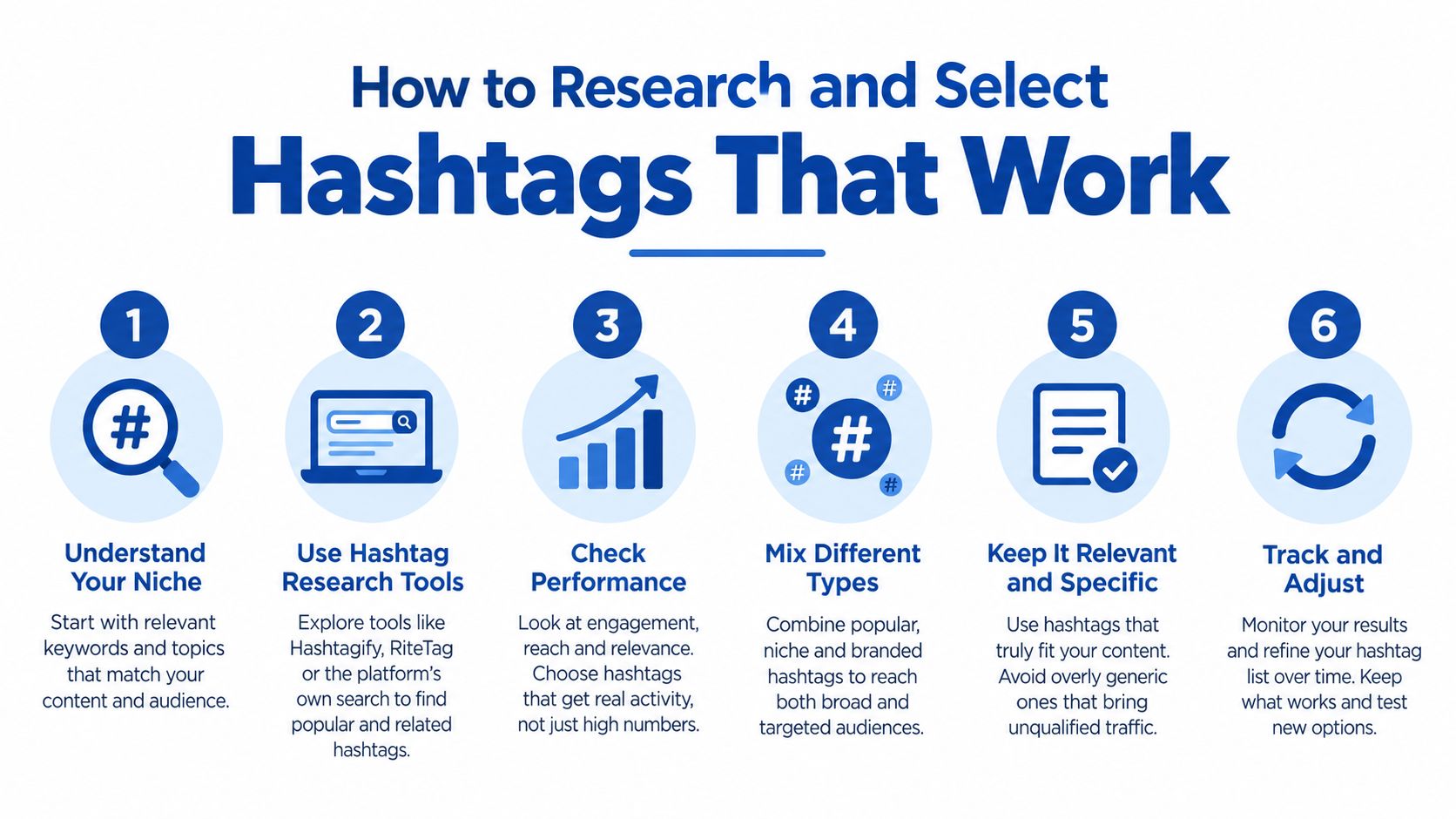
Hashtag research should take about 10 minutes per post once the process becomes familiar. The work isn't finding the biggest tag. It's finding labels that describe the content and still have a relevant audience.
Start with the post itself. Write down the central topic, intended audience, format, and action. A short clip from a founder interview might focus on sales objections, target B2B founders, use a video format, and ask viewers to save the advice.
Build the set by role
Use this structure as a starting point:
- Choose one broad context tag. It should identify the general category, such as marketing, podcasting, or sales.
- Add two or three mid-tier niche tags. These should describe the specific problem, audience, or activity.
- Select one community or timely tag. Use it only when the post clearly belongs in that conversation.
- Remove anything oversized or vague. A huge tag may expose the post to an unfocused audience.
- Check competitive density. Search each candidate on Instagram and examine whether the visible content matches the intended audience.
- Record the result by bundle. Track reach, saves, shares, and engagement for the complete set, not just impressions from one tag.
Practitioner research repeatedly favors class-specific tags connected to activities, communities, or feature-account ecosystems. The HubSpot guide to Instagram hashtags summarizes this approach and warns against relying on generic labels.
For adjacent research, marketers can also find trending YouTube hashtags when a podcast or video topic is being adapted across channels. That research can generate ideas, but Instagram still requires a relevance check before publication.
Create several saved bundles rather than one permanent block. A B2B podcast might maintain bundles for demand generation, founder interviews, sales enablement, and content strategy. Each post then gets a custom selection instead of a copied list.
Where to Place Hashtags on Instagram
Hashtags can sit in the caption or the first comment. Both placements can support classification, so the decision usually comes down to presentation and workflow.
Caption placement keeps the tags attached to the post context from publication. It's useful when the hashtags clarify the topic and don't make the copy feel cluttered. First-comment placement keeps the caption cleaner, which suits quote graphics, polished carousels, and short captions.
The five-tag limit still applies. Splitting tags between the caption and comment doesn't create extra capacity. A clean caption can be a valid formatting choice, but it isn't a way around Instagram's cap.
Match the placement to the asset
A repurposed recording rarely produces identical assets. Each format needs its own context.
- Video clips: Use topic, audience, and format tags. The caption should carry the hook and the action before the tags.
- Carousels: Choose tags tied to the specific lesson, such as sales qualification or content planning.
- Quote graphics: Use the speaker's topic and community, not generic motivational labels.
- Local content: Add a location tag only when geography affects the post's value.
- Branded campaigns: Reserve a slot for the brand tag when audience participation or content organization matters.
A caption should still work without the hashtags. For Reel copy, resources such as Instagram Reel captions that drive action can help teams build a stronger opening and call to action before adding tags.
The same principle applies when drafting a larger batch of assets. A social post repurposing workflow can keep each caption tied to its source idea, format, and audience instead of producing interchangeable copy.
Avoid the static block
Reusing a branded tag can make sense. Reusing every tag on every post doesn't. Rotate relevant options within each content pillar, and remove any tag that doesn't describe the current asset.
A simple workflow looks like this:
- Draft the caption and identify its central promise.
- Choose one context tag and two or three niche tags.
- Add a community, branded, location, or format tag only if it earns the slot.
- Place the set in the caption or first comment.
- Record the bundle with the post's reach, saves, shares, and engagement.
That process takes minutes after the initial library exists. It also prevents hashtag selection from becoming an afterthought at publishing time.
What the Data Says About Hashtag Performance
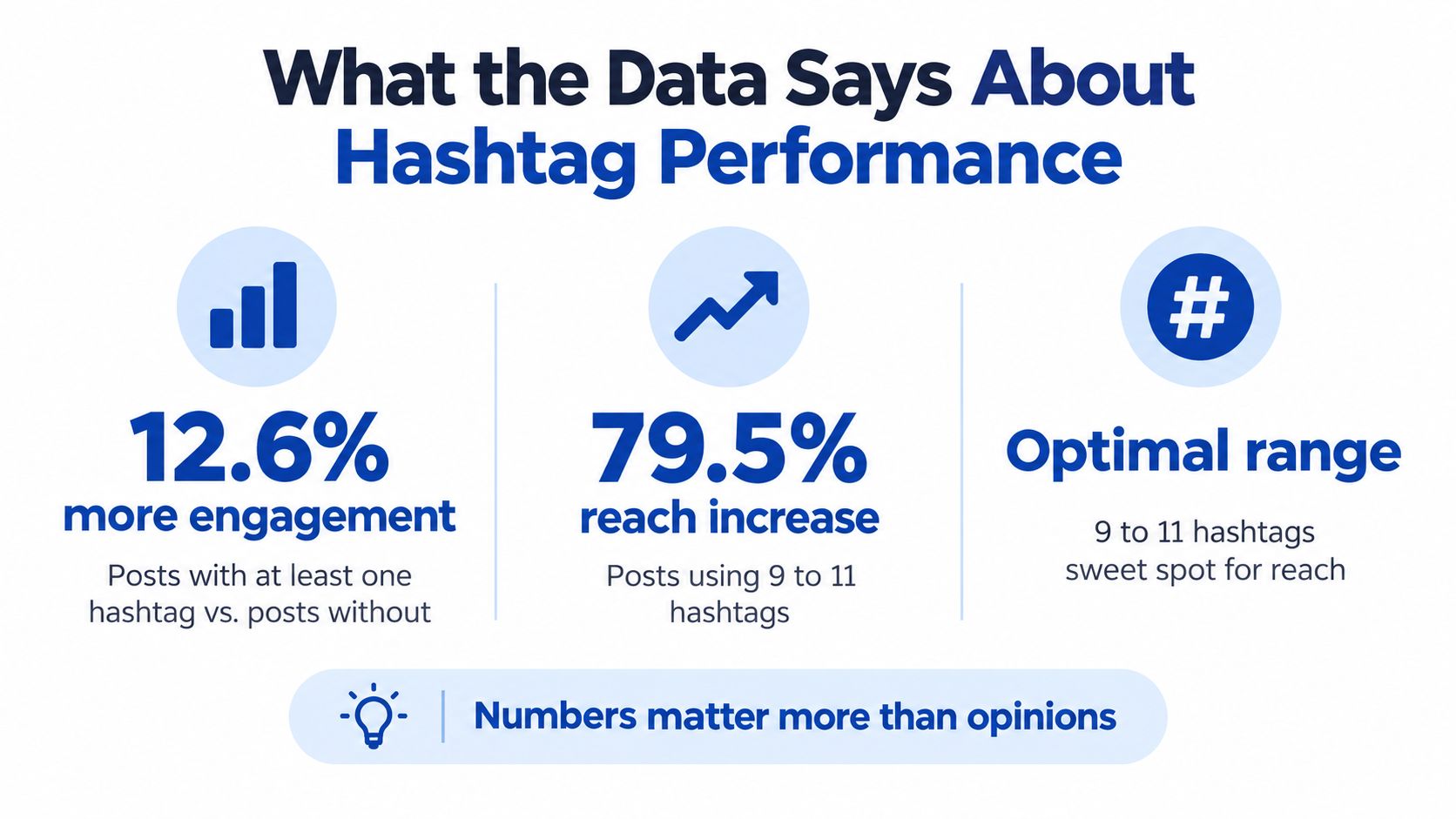
The data doesn't support one universal hashtag rule. One 2026 compilation reports 12.6% more engagement for posts with at least one hashtag than posts without hashtags. The same report says posts using 9 to 11 hashtags can increase reach by nearly 79.5%, while hashtags between 21 and 24 characters perform about 20% better than shorter ones. It also reports that over 60% of users discover new content and accounts through hashtags. These figures appear in Search Logistics' hashtag statistics compilation.
Those findings point toward potential value, but they don't prove that adding more tags causes better results. Current usage shows a more selective pattern. A data summary reports that 45% of Instagram posts use no hashtags, 14% use the maximum of five, and only 7% exceed five, as outlined by Mention's Instagram hashtag data.
What the numbers actually mean
The apparent contradiction has a practical explanation. Different datasets may measure different account sizes, formats, audiences, and periods. Engagement and reach aren't interchangeable. A hashtag can help classify a post without generating a meaningful distribution lift.
The older volume-first habit also conflicts with the current five-tag cap. SocialPilot's Instagram hashtag guide describes the current advice as using three to five highly relevant tags, while independent analysis in the same research area found worse results for some hashtagged posts.
Use the figures as decision context, not a promise. A niche podcast clip may benefit from clear classification. A weak clip won't become compelling because it includes a tag. A highly relevant carousel may perform without hashtags if its topic, design, and caption already make the subject obvious.
Hashtag performance is a testing question, not a belief system.
Track each bundle against reach, saves, shares, and interactions. Keep the creative and posting conditions as consistent as practical. If one bundle repeatedly attracts the right audience, retain its roles and replace only weak candidates.
For broader planning, a short-form video strategy for B2B can place hashtag testing inside a more useful content system. The tag should support the hook and topic, not become the campaign.
How Hashtags Fit Into a Repurposing Workflow
Hashtags work better when they're assigned during content planning, not added during a rushed upload. A long-form recording contains several ideas, and each idea may appeal to a different audience segment.
A podcast episode about customer acquisition could produce a founder clip, a sales objection carousel, a quote graphic about pricing, and an audiogram about retention. The source recording stays the same. The intent changes, so the hashtag bundle should change too.
A practical three-step workflow
Step 1, map the recording. Spend about 20 minutes identifying strong claims, useful examples, objections, and audience questions. Label each idea by topic and intended audience.
Step 2, assign the format. Turn the strongest explanation into a clip, the framework into a carousel, the concise statement into a quote graphic, and the broader discussion into a caption or blog section.
Step 3, create the bundle. Give every asset one context tag, relevant niche tags, and a community, branded, location, or format tag when justified.
Step 4, publish and measure. Record reach, saves, shares, and engagement by asset and bundle. Avoid judging a tag from one post alone.
For Instagram Live recordings, the same approach applies. A guide to repurposing Instagram Live videos can help teams separate one broadcast into distinct publishable moments.
Keep the library flexible
Maintain a small library for each content pillar. The library should hold options, not a mandatory block. A sales-content library might include tags for qualification, objections, pipeline, and founder-led selling, while a podcast library might cover interviews, audio clips, and industry discussions.
This system reduces research time without sacrificing relevance. It also prevents every asset from looking copied, especially when a single recording becomes a month of social content.
Hashtags remain only one distribution signal. The recording still needs a strong premise, useful editing, readable visuals, and a caption that tells the audience why the post matters.
The Done-For-You Alternative
Hashtag selection is a small part of the workload. The expensive work is identifying moments, editing clips, writing captions, designing visuals, and adapting each asset for its channel.
A manual workflow can consume hours per recording. Clipping requires reviewing the source, marking timestamps, editing the video, adding captions, checking brand details, and exporting versions. Caption writing, quote selection, carousel design, and quality control add separate tasks. Hashtag research then becomes another decision at the end.
What the service includes
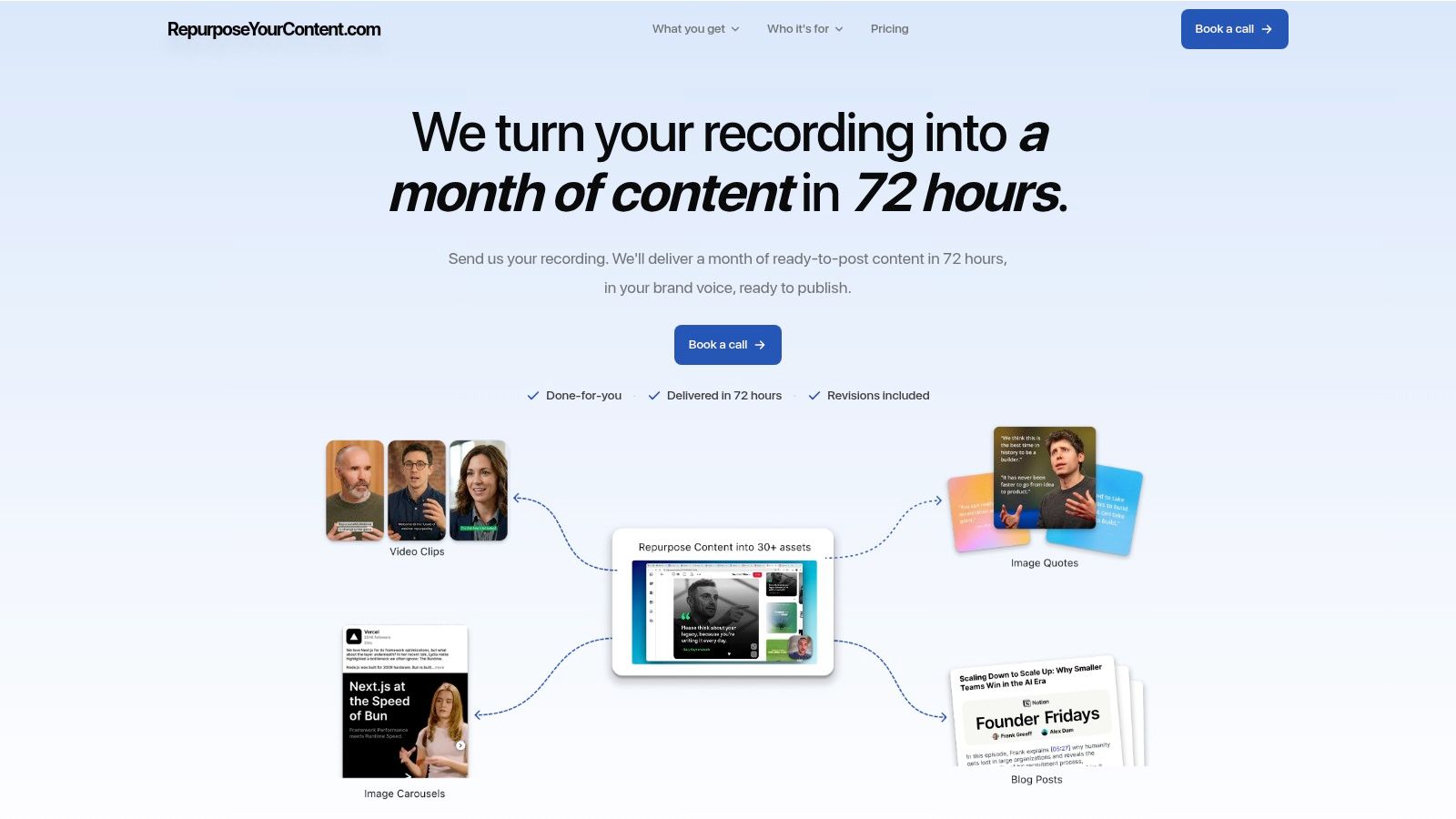
RepurposeYourContent is one done-for-you option. Clients send one podcast, webinar, keynote, interview, meeting, livestream, course, or other long-form recording. The team returns 20 to 30 ready-to-publish assets in 72 hours, including:
- Video clips: Short-form excerpts with captions and formatting.
- LinkedIn posts: Written social content based on the recording.
- Quote graphics: Branded visual statements from the source.
- Carousels: Structured educational content for scrolling audiences.
- Audiograms: Audio-led assets for social distribution.
- A blog post: A written article built from the core discussion.
The copy is written in the client's brand voice, and the assets use the client's brand kit. The delivery also includes a posting playbook with timing and platform recommendations. The client's time investment is about 15 minutes per recording.
The service offers unlimited revisions and a 72-hour turnaround guarantee, or the client doesn't pay. Pricing starts at $14 per finished asset, with the final cost depending on the selected arrangement.
A structured video content repurposing workflow also keeps hashtags connected to each asset's topic. That's more useful than asking a generalist to add the same tags after every edit.
When outsourcing makes sense
The trade-off is straightforward. DIY gives a team direct control, but it requires editing skill, writing capacity, design time, and consistent review. A done-for-you service costs money, but it returns finished assets while the subject-matter expert keeps working.
One 45-minute recording can become 30 assets when the source contains enough distinct ideas. The value isn't the hashtag list. It's the ability to publish those ideas in multiple formats without asking the founder, host, or marketing lead to manage production.
Next Steps for Your Instagram Strategy
A practical Instagram plan has two parts. First, publish strong content with tags that accurately describe the topic. Second, track which bundles attract useful reach, saves, shares, and engagement.
A small B2B team can start with one recording. Step one identifies the strongest ideas. Step two turns those ideas into clips, carousels, quote graphics, and captions. Step three assigns a different hashtag bundle to each asset. Step four reviews the results and updates the library.
Teams that want broader guidance can review this Instagram strategy from Silver Spoon Agency, then adapt the recommendations to their audience and production capacity. Cross-platform planning also helps teams extend one recording beyond Instagram through content repurposing across channels.
Hashtags may help Instagram understand a post. They won't replace a clear hook or valuable idea. Build the system around the recording, then let each asset earn its own tags.
Send RepurposeYourContent one podcast, interview, keynote, sales call, livestream, course, or meeting recording and receive 20 to 30 branded assets within 72 hours. Book a call or request a sample to see how one recording can become a month of ready-to-publish content, with your time limited to about 15 minutes.
Tags:




