Podcast Clips for Social Media: A Step-by-Step Guide
Learn how to create podcast clips for social media that get results. This step-by-step guide covers selection, editing, formatting, and measurement.

Creating effective podcast clips for social media means picking short, high-impact moments from a recording, editing them for each platform's format and attention span, and adding captions plus a strong hook. The working ranges are clear: 30 to 60 seconds for most short-form feeds, with LinkedIn often supporting clips up to 90 seconds when the insight earns the extra time.
Most podcasters don't have a content problem. They have a selection problem.
A weak clip usually isn't weak because the episode was bad. It fails because the clip was chosen like a summary, not like a piece of media competing in a feed. Viewers don't stop for a neat recap of the episode. They stop for tension, surprise, honesty, conflict, and specificity.
That matters because discovery is the whole point. Spotify has said that 42% of podcast listeners discover new shows through social media channels, and that the opening three seconds are critical for social success, as noted by Castmagic's summary of Spotify podcast clip guidance. If clips are where people first meet a show, then average clips don't just underperform. They waste the best top-of-funnel asset most podcasters have.
Why Most Podcast Clips Fail to Get Traction
Most podcast clips for social media fail because they're built around the host's intended message instead of the viewer's attention.
That usually produces one of three bad outcomes. The first is the summary clip. It sounds tidy, but tidy is rarely interesting. The second is the setup-heavy clip that spends too long warming up. The third is the branded clip that looks like an ad before anyone has heard the point.
Practical rule: The best clip is rarely the cleanest explanation in the episode. It's usually the moment that feels slightly unguarded.
A lot of podcasters clip the “main takeaway” because it feels safe. Safe doesn't travel well on social. The moments that get traction tend to be sharper. A guest admits something awkward. Someone pushes back. A strong opinion lands without hedging. A story turns unexpectedly.
The feed also punishes delay. If the clip takes too long to get interesting, viewers leave before the idea arrives. That's why packaging matters as much as selection. A good moment with a weak opening still dies.
What doesn't work:
- Episode recaps: They ask strangers to care before earning attention.
- Polite agreement: If both speakers say the expected thing, there's no tension.
- Long intros: Names, context, and scene-setting belong after the hook, not before it.
- Overbranding: Big watermarks, banner CTAs, and loud end cards make clips feel promotional.
What works is more editorial than technical. The people getting traction are choosing moments with bite, then trimming hard enough to keep the idea intact.
How to Find Clip-Worthy Moments
The fastest manual method is simple. Work from the transcript, not the timeline.
Listening back to a full episode is slow. Reading a transcript makes strong moments visible much faster. That's why transcript-first selection beats scrubbing waveforms and guessing. If transcription is the missing first step, this guide on how to transcribe video automatically covers the setup.
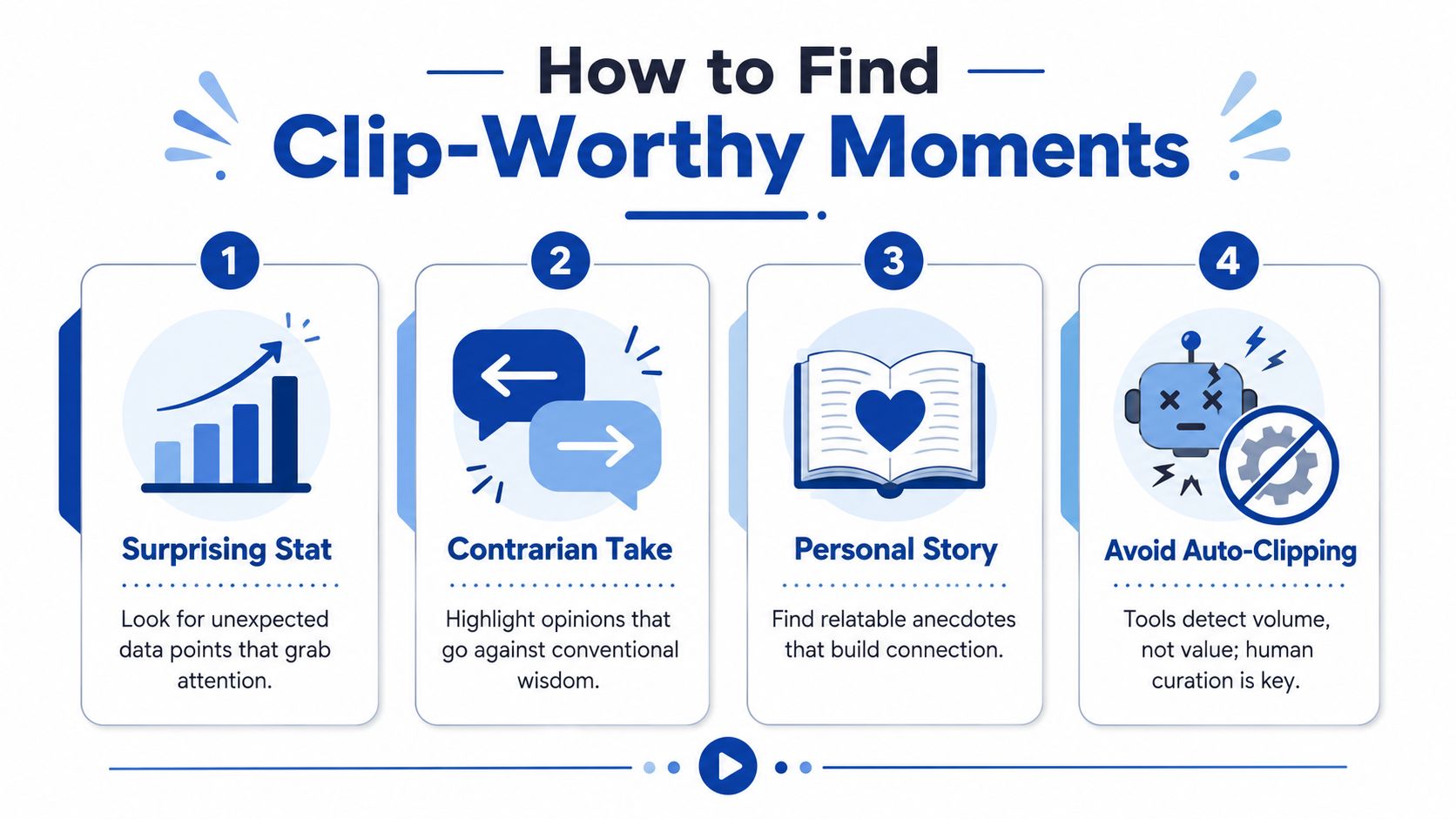
Five signs a moment will clip well
A useful transcript scan looks for markers, not perfection. These are the moments worth pulling into a shortlist.
A surprising number
Specificity stops the scroll. If a guest says a precise figure, a concrete benchmark, or a sharp comparison, that often clips better than a general insight. Numbers feel real. They also give the hook text something to hold onto.A contrarian take
Strong clips often begin where consensus ends. Lines like “the general understanding is flawed” or “the common advice is backwards” create immediate curiosity. They promise friction. Friction earns attention.A story starting mid-stream
“So what happened was” is a strong sign. So is any moment where the speaker moves from theory into lived experience. Stories outperform summaries because they create motion. Motion keeps viewers watching.Emotional or unusually candid language Words like “frustrating,” “embarrassing,” or “nobody tells you this” often signal a moment with more edge than the surrounding conversation. That edge matters. It sounds human, not rehearsed.
Disagreement, interruption, or pushback
A transcript often shows this before the editor hears it. One speaker cuts in. The pace changes. Someone rejects the previous point. That's usually more clip-worthy than smooth agreement because conflict creates structure.
Auto-clipping software usually finds the loudest moment, not the most meaningful one.
That's the core weakness of fully automated clipping. It detects spikes, keywords, and surface-level signals. It doesn't understand why one sentence feels alive and another feels generic. A machine can surface candidates. It can't replace editorial judgment.
A practical transcript workflow
This is a simple manual workflow that a podcaster or marketer can follow.
- Step 1. Read the transcript once for hooks: Highlight any line that surprises, clashes, or sounds unusually direct.
- Step 2. Pull a shortlist: Extract several candidate moments rather than committing too early to one.
- Step 3. Check the surrounding lines: A great sentence without a clean lead-in or payoff may not clip cleanly.
- Step 4. Listen only to shortlisted sections: Confirm tone, pacing, overlap, and whether the moment lands on audio.
- Step 5. Cut for the idea, not the paragraph: Remove every sentence that isn't required for the thought to make sense.
Done manually, selection still takes focused time. Reading and marking a transcript can take about 20 minutes per episode, based on the workflow described in the brief. That's much faster than replaying the whole recording, but it still requires judgment. That judgment is the essential craft.
What to choose instead of the obvious takeaway
Many hosts reach for the polished thesis line. That's often the wrong choice.
A better clip candidate is usually:
- Less polished: It feels spoken, not prepared.
- More specific: It names a real tension, mistake, or lesson.
- More personal: It reveals the speaker, not just the topic.
- More self-contained: It can stand alone without the whole episode's context.
That's why the guest's unguarded moment often beats the host's clean explanation. The host usually knows the structure. The guest accidentally provides the moment people remember.
Crafting Your Clip for Each Social Platform
Editors make or break clip performance at this stage. The same 35-second excerpt can look native to the feed and hold attention, or it can look like a chopped-down webinar and die on arrival.
A strong clip is shaped for the platform, not just resized for it. Auto-clipping tools usually stop at formatting. They can crop to 9:16, add captions, and pull a sentence for the headline. They still miss the harder part. Human judgment decides which line belongs on screen first, where the clip should begin, what context the viewer needs, and which reaction shot or pause gives the moment tension.
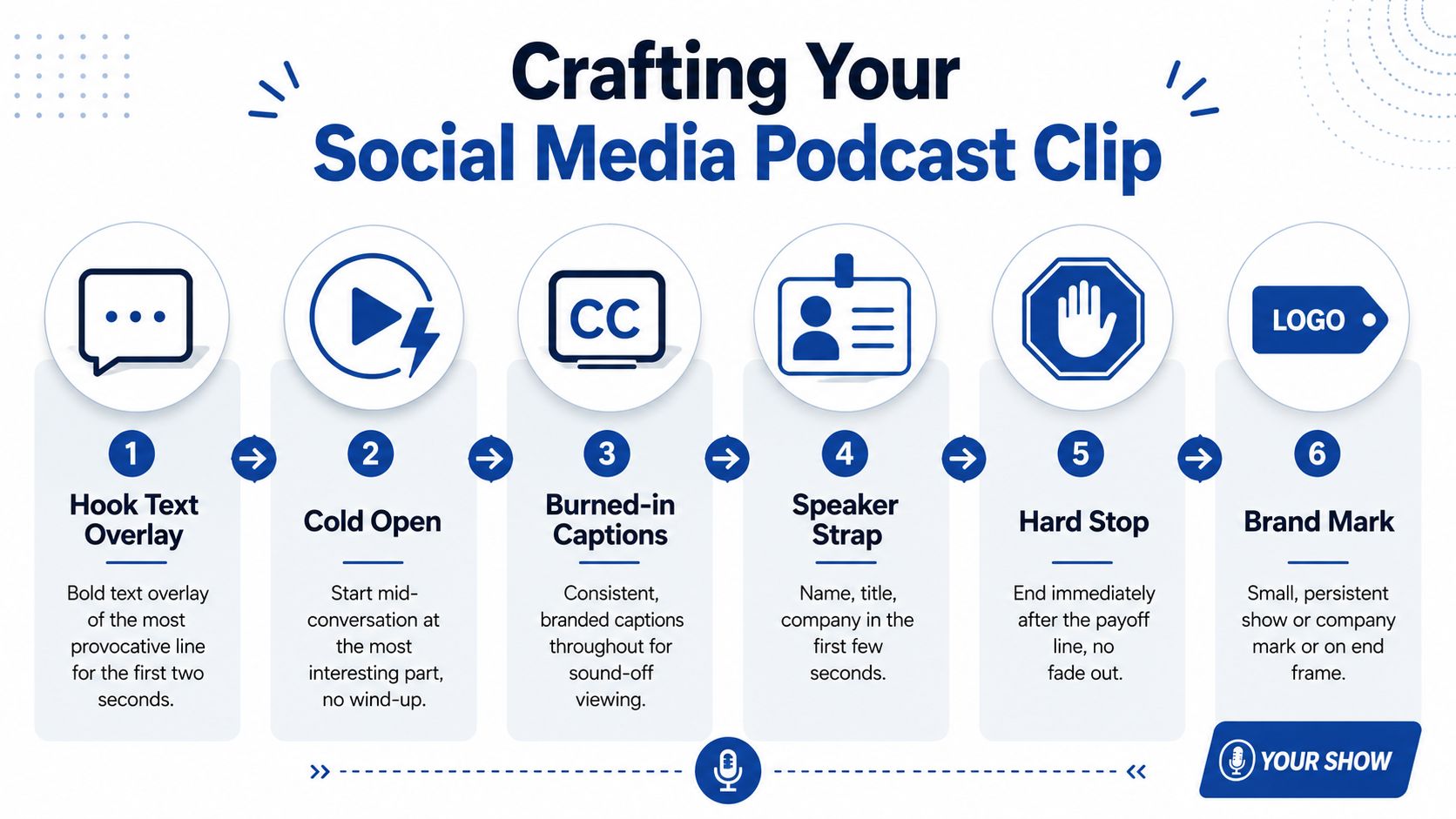
The clip anatomy that actually works
The packaging is usually simple. The decisions inside it are not.
Use these elements in a deliberate order:
- Hook text overlay: Put the strongest idea or tension on screen in the first two seconds. The line should create curiosity without needing the episode title for context.
- Immediate entry point: Start where the thought is already alive. Cut the warm-up, the recap, and any host setup that slows the clip down.
- Burned-in captions: Silent autoplay is common, so readability decides whether the clip gets a fair shot. For caption styling and timing, see how to add captions to video clips.
- Speaker identification: Name, role, and company help the viewer place the opinion fast.
- Clean ending: Stop on the payoff. The clip does not need an outro card if the point has already landed.
Framing matters just as much. Horizontal podcast footage rarely survives a vertical crop without manual adjustment. Two people in a wide shot become tiny, facial expression disappears, and the clip feels second-hand. Good editors punch in, switch between speakers, and protect eye line so the moment still feels direct. For a platform-specific framing approach, review these vertical video best practices for LinkedIn.
Here's a visual walkthrough of that packaging process:
Length by platform
Clip length follows the strength of the idea first, then the feed.
Short-form platforms reward fast setup and a quick payoff. LinkedIn often gives you a little more room if the speaker is saying something concrete, useful, and specific to work. X usually favors a shorter, sharper cut. YouTube Shorts can hold slightly more context if the first line earns it.
A practical working table looks like this:
| Platform | Good working range | What usually works best |
|---|---|---|
| TikTok | Short to mid-length | Immediate tension, clear point of view, fast pacing |
| Instagram Reels | Short to mid-length | Strong visual crop, readable captions, quick payoff |
| YouTube Shorts | Short to mid-length | A self-contained insight with just enough setup |
| Mid to longer clip | Clear business relevance and a thought that develops | |
| X | Very short | One sharp claim or one exchange worth quoting |
The common mistake is stretching a weak moment to hit an arbitrary duration. A clip that resolves in 22 seconds should stay 22 seconds.
Branding without hurting retention
Branding should support recognition after the viewer is interested. If branding shows up too aggressively before the moment gets moving, retention drops.
Keep it tight:
- Caption styling in brand fonts and colours
- A speaker strap
- A small show or company mark
- Consistent framing across clips
The hard part is combining all of this without making the clip feel manufactured. Good editors know when to leave in a half-second pause, when to cut to the guest reaction, and when a cleaner branded template makes the clip feel less credible. Those choices take time. DIY production often means 1 to 2 hours per clip once you factor in reframing, caption cleanup, design tweaks, and exports for different platforms. That is manageable for one episode here and there. It becomes a bottleneck fast for busy founders, executives, and marketing teams publishing every week.
Using Audiograms for Audio-Only Podcasts
Audio-only shows still need social assets. That's where audiograms earn their place.
An audiogram turns a podcast excerpt into a visual post by combining audio with a static image, captions, and a moving waveform. It's less dynamic than video, but it still gives a strong quote or insight a chance to travel in social feeds.
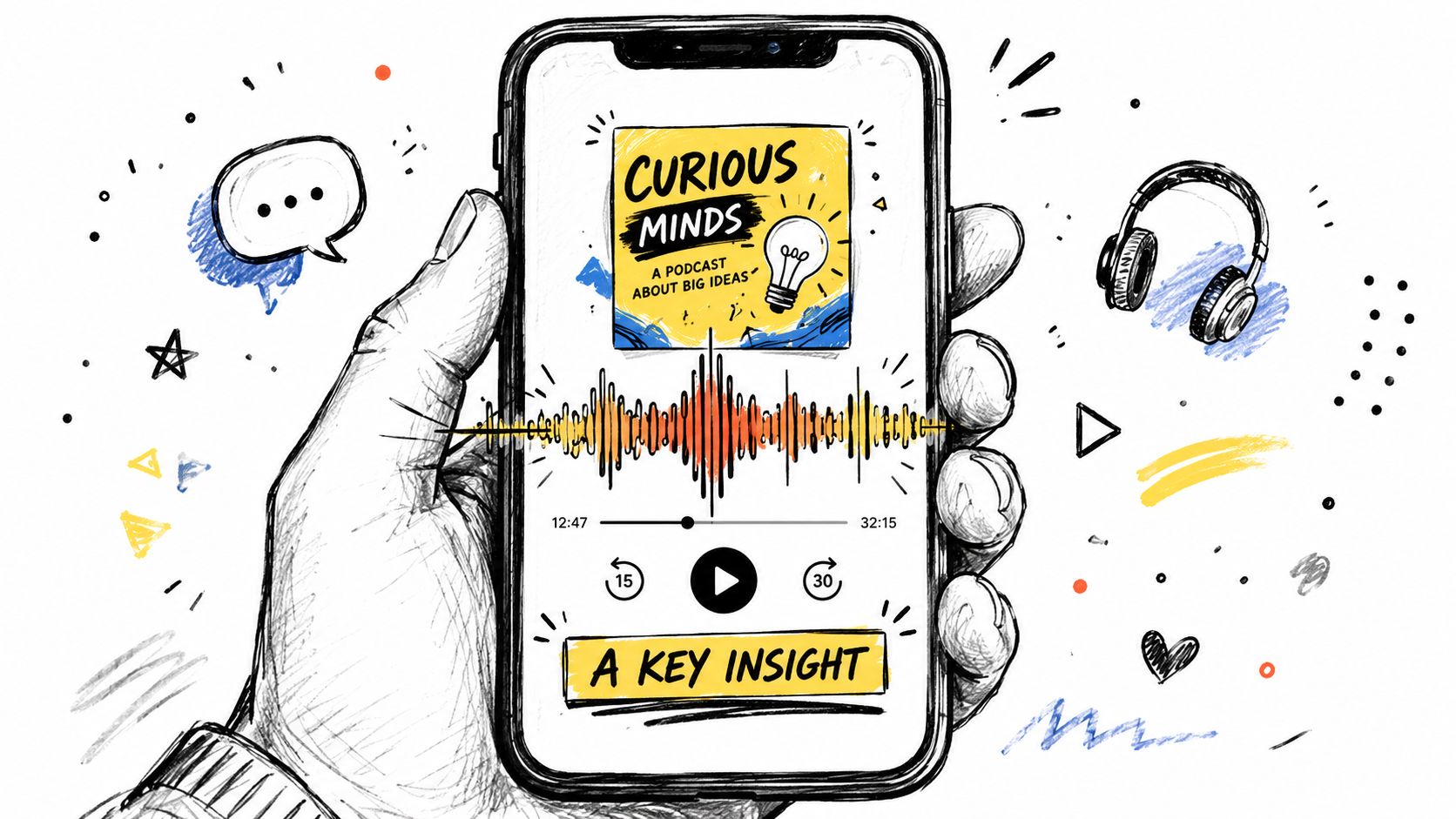
What makes an audiogram worth posting
A weak audiogram is just a static square with audio underneath. A good one still follows the same editorial rules as a video clip.
Use:
- A strong background image: A quality headshot, guest image, or clean podcast artwork.
- Readable captions: This matters even more with audio-first content.
- Visible waveform motion: It signals that something is happening.
- One self-contained point: Don't cram in a mini essay.
Audiograms work best for:
- Sharp opinions
- Surprising data points
- Memorable quotes
- Candid personal admissions
They work less well for back-and-forth banter because the format has less visual energy to carry a long exchange. For a deeper process guide, see how to create audiograms for social media.
Where podcasters get audiograms wrong
The common mistake is treating them as filler content. That shows immediately.
If the quote is bland, the waveform won't save it. If the caption design is cluttered, nobody reads it. If the clip is too long for the strength of the idea, viewers drop off. Audiograms still need a hook, a payoff, and tight editing.
The Done-for-You Alternative
The manual process works. It also eats hours.
For one episode, someone has to read the transcript, shortlist moments, listen back, trim the clip, reframe the video, style captions, add speaker details, export versions, write post copy, and queue publishing assets. Even with skill, that workload adds up fast.
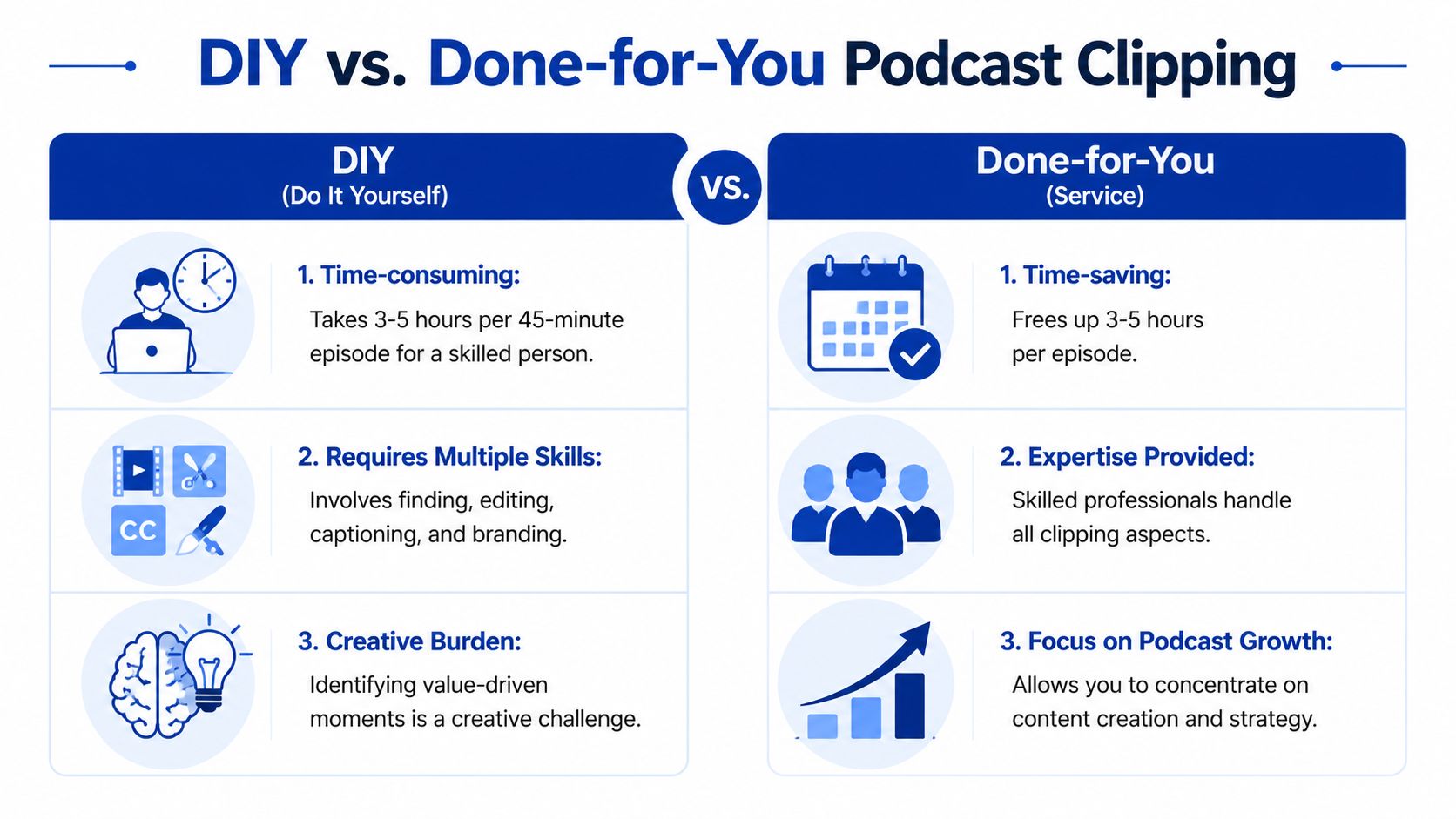
The real cost of DIY clipping
For a single 45-minute recording, a realistic manual workflow often looks like this:
| Task | Typical manual effort |
|---|---|
| Transcript review and clip selection | About 20 minutes |
| Clip editing and trimming | About 1 to 2 hours |
| Caption cleanup and styling | Additional focused production time |
| Reformatting for vertical and branding | Additional focused production time |
| Writing supporting posts and exports | Additional focused production time |
That's why clipping gets pushed down the list. The episode goes live. Maybe one trailer gets posted. Then the recording disappears into an archive.
Busy marketers, founders, and hosts usually don't need another editing task. They need the finished assets.
What the service model looks like
A done-for-you option removes the production burden entirely. One example is RepurposeYourContent's video clip service, where clients send one recording and receive finished social assets back.
The offer is straightforward:
- Send one recording: Podcast, webinar, keynote, interview, meeting recording, or livestream.
- Get 20 to 30 ready-to-publish assets in 72 hours: Video clips, LinkedIn posts, quote graphics, carousels, audiograms, and a blog post.
- Spend about 15 minutes on the client side: Mostly to send the source and review output.
- Use unlimited revisions if needed
- Work from rates starting at $14 per finished asset
- Rely on a 72-hour turnaround guarantee, or you don't pay
A single 45-minute recording becomes 30 assets under that model. That's a different operating system from “someone on the team will get to it later.”
Done-for-you makes sense when the bottleneck isn't ideas. It's time, editing skill, and consistency.
How to Measure Clip Performance and Drive Results
A clip with views but no next step isn't proof of impact. It's proof that people paused.
That distinction matters more in B2B than is often acknowledged. Social reach can look healthy while the podcast itself stays flat. A clip can even create the wrong expectation if the packaging overpromises what the full episode delivers.
Effective measurement requires moving beyond views and likes toward conversion pathways such as link in bio clicks or dedicated landing page visits, as explained in Ad Results Media's guidance on integrating podcasts with social media.
What to track instead of vanity metrics
Views still matter. They just aren't enough on their own.
A better measurement stack includes:
- Completion rate: Did viewers stay until the idea finished?
- Shares and saves: Did the moment feel worth passing on?
- Comments with substance: Did the clip trigger thought, not just reaction?
- Link clicks: Did anyone move from the clip to the next destination?
- Landing page visits: Did the post create traffic with intent?
Teams that need a broader framework can use a more formal content marketing ROI measurement approach to connect clips to business outcomes.
A practical conversion workflow
A clean workflow looks like this:
Publish the clip with one clear next step
Don't bury the action. Point viewers to the full episode, newsletter, demo page, or a dedicated resource.Use a dedicated destination
A landing page tied to the episode or campaign makes attribution easier than sending everything to a homepage.Match the promise to the episode
If the clip frames the content one way and the full episode delivers something else, trust drops.Check drop-off patterns
If people leave instantly, the hook failed. If they leave midway, the clip likely ran longer than the idea deserved.
The trade-off most teams miss
Short-form clips are discovery assets first. Their value is proven only when they move a viewer deeper into the funnel.
That means some clips will look modest on the surface but still be valuable because they attract the right people. Others may rack up passive views and do very little. The only way to know which is which is to build the path and track it.
Start Publishing Clips That Work
Good podcast clips for social media aren't created by software alone. They come from editorial judgment, tight editing, and packaging built for real feeds.
Most clips fail because they summarize instead of provoke. The fix is to choose sharper moments, cut harder, and format each clip for the platform it's meant to win on. That takes time. It also takes skill.
If the recording already exists, the raw material is there. The question is whether that material becomes one forgotten episode or a month of usable content.
If that work needs to move faster, book a call or request a sample package from one recording and see what the finished assets look like before committing.
Tags:




