How to Hire Someone to Make Podcast Clips (2026 Guide)
Learn how to hire someone to make podcast clips the smart way. Compare freelancers, agencies, and AI tools, plus pricing, vetting, and ownership essentials.

A single podcast episode can yield 15 to 25 usable clips, and a weekly show can turn that into 60 to 100 clips per month from just four episodes, according to one pricing guide for podcast clipping Clipspeed. That's why hire someone to make podcast clips is no longer a vanity spend. It's a workflow decision.
If you're still clipping your own show, you're probably undercounting the true cost. The clip itself is only part of the job. The hidden bill is the time you burn finding moments, trimming dead air, fixing captions, exporting formats, and posting the assets one by one.
The Hidden Cost of Clipping Your Own Podcast
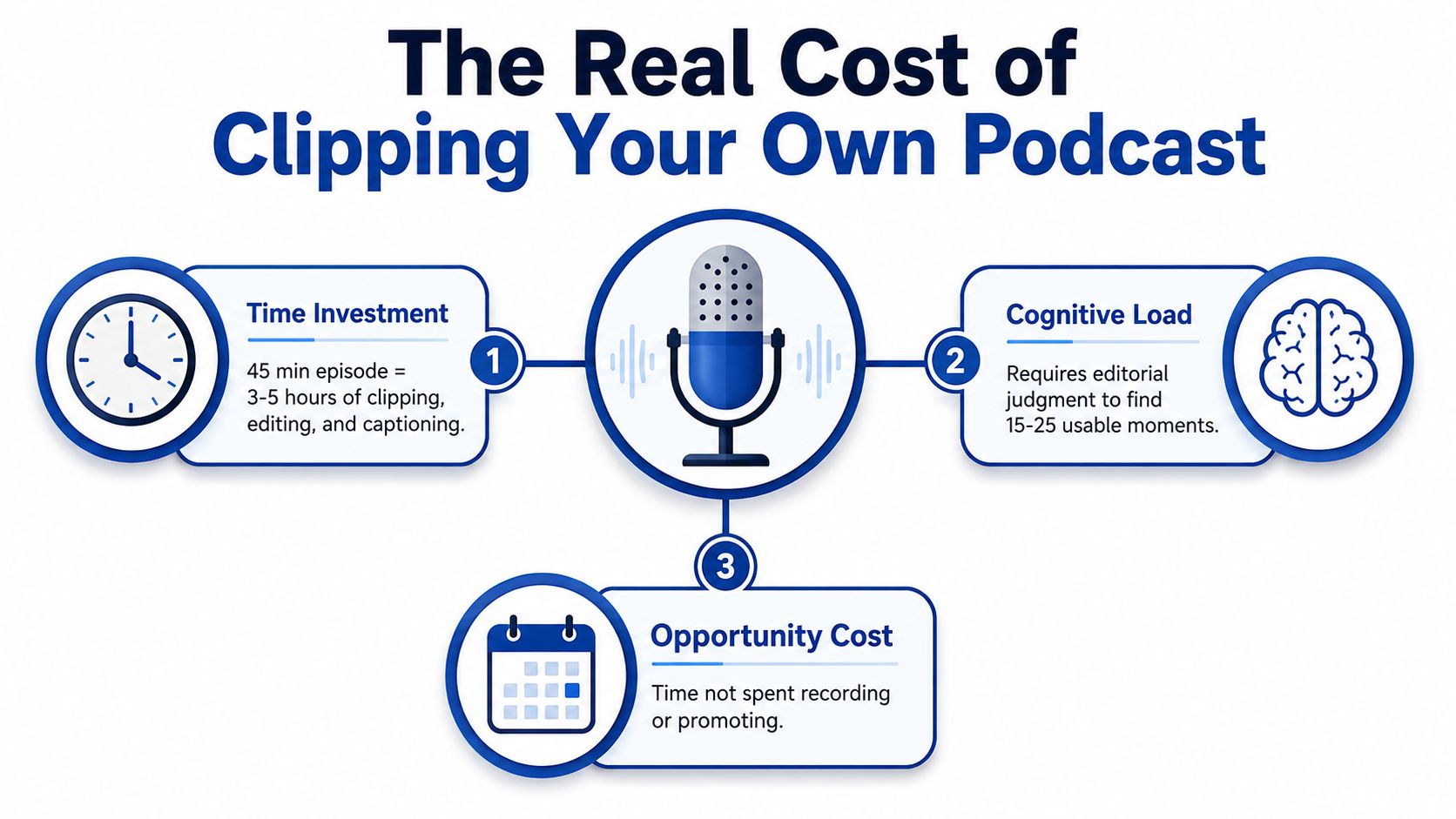
A 45-minute episode can turn into a long list of publishable moments, but only if someone does the work. That means listening for the hook, marking timestamps, cutting cleanly, adding captions, choosing the right frame, and exporting for each platform. One industry guide says a good two-hour conversation can produce 5 to 15 usable clips, and the same market data frames clipping as a repeatable production service, not a one-off edit Ascynd.
DIY starts lying to people the moment the task hits your calendar every week. A single recording can eat 2 to 3 hours per episode once you include selection, editing, captioning, and exports. The work feels small until you repeat it across a full publishing cycle.
Practical rule: If clipping is stealing half a workday, you are not saving money. You are spending founder time on production.
A weekly show makes the problem worse. Four episodes a month turn into a constant queue of “later,” and later becomes missed posting windows. That is why many podcasters hire someone to make podcast clips after their backlog starts blocking publishing.
The other cost is judgment. Finding strong moments is not mechanical. It takes editorial taste, especially when the clip has to stand alone on TikTok, Reels, or Shorts.
For a rough cost comparison, the bigger issue is not clip volume. It is whether the person doing the work is freeing up time or creating another content bottleneck. If you are pricing the full workload, compare it against the actual services and scope outlined in this repurposing cost breakdown, not just the editing invoice.
Your Four Main Options for Outsourced Podcast Clips
Marketplace freelancers
Freelancers on marketplaces are the cheapest way to get started, and they are also the fastest path to inconsistent captions, weak hook selection, and revision churn. If you hire here, you are usually buying one-off execution, so the work only works if you give very clear direction and stay on top of reviews. The market data shows podcast clipping can cost $25 to $500 per clip, so the low end looks attractive until fixes and back-and-forth get added.
They work best for short trials and smaller budgets. They are a poor fit when you need the same editorial standard across multiple episodes, because the output depends heavily on who happens to take the job.
Clipping agencies
Agencies usually bundle editing, captions, and packaging into a monthly retainer. That setup fits a show with a steady publishing rhythm and a team that can keep approvals moving. It also commits you to a monthly cost band that often sits around $500 to $3,500 per month for host or network retainers.
The upside is consistency. The downside is less flexibility, especially when volume changes or your approval process gets messy. If you want a cleaner version of this model, outsource content repurposing through a productized provider so scope, turnaround, and revisions are defined before the first file moves.
Productized services
Productized services are cleaner. You buy a defined output, often per finished asset or per package, and revisions are built into the workflow. That is the model most busy podcasters need, because it removes the negotiation tax and makes the service easier to compare against the done-for-you option. If you want a broader view of that model, this repurposing services guide shows why scope clarity matters.
AI plus human polish
AI can extract segments fast, and that is useful when the raw source is long. But human review still matters. The key question is whether someone is checking brand fit, hook strength, and platform formatting before the file goes out Upwork.
A tool can surface moments. A human still decides whether a moment deserves attention.
The best fit is straightforward. Use freelancers if you are testing demand. Use agencies if you have steady volume and a bigger budget. Use productized services if you want predictable output and less hand-holding. Use AI plus polish only if you already have someone who can review the work fast.
The Paid Test Project That Reveals Real Clip Judgment
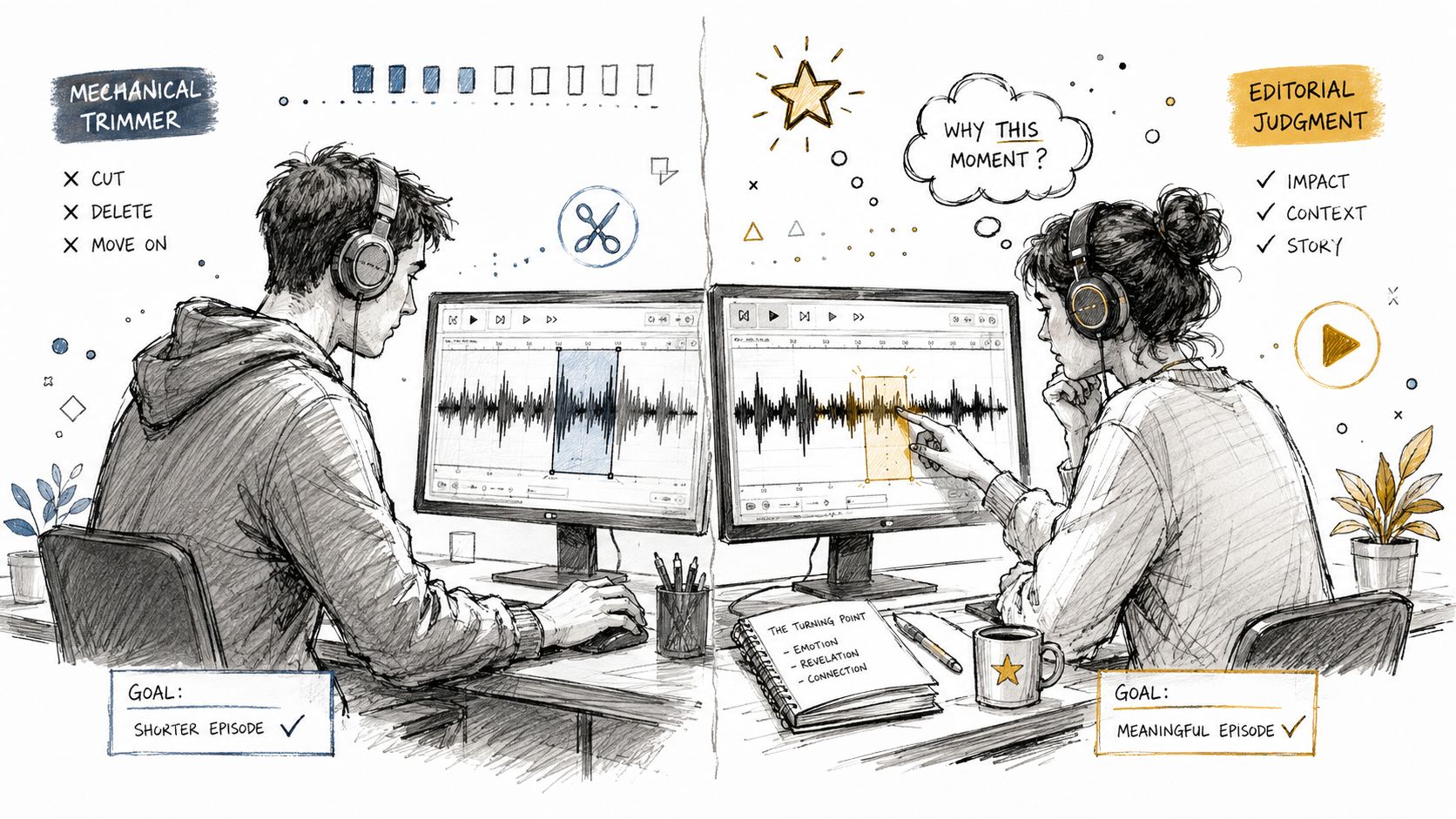
The first screening question should be this. “Show a clip you chose and explain why you chose that moment.” The answer tells you everything. Editorial thinkers talk about tension, payoff, and whether a clip can stand alone. Mechanical editors talk about ease and timestamps.
That distinction matters more than software skill. Editing can be taught. Judgment is the scarce part.
Run the same paid trial for every candidate
Give each shortlisted person the same 30-minute segment. Ask for two finished clips and one clip they rejected, with reasons. The rejected clip is the useful one. It shows whether the person understands why a punchy moment still fails on its own.
Score three things only. Caption accuracy. Pacing. Judgment. If the clip is technically clean but the moment is weak, that's a miss.
Compare candidates on identical material
This is the cleanest test because it removes excuses. The source is the same. The deadline is the same. The standards are the same. That makes the decision obvious fast.
Use this simple rubric:
- Selection judgment: Does the person pick moments that can stand alone?
- Caption quality: Are names, jargon, and sentence breaks correct?
- Brand fit: Does the clip sound like the show, not like a random internet edit?
- Platform awareness: Does the edit feel native to short-form distribution?
Most hiring guides stop at samples and turnaround. That is not enough. You need proof that the person can make editorial choices, going beyond simple file trimming. More context on social-ready podcast clips is covered in this distribution guide.
A one-month pilot is usually enough. Pay per deliverable first. If the work is strong, continue. If it is not, stop early and move on.
Day-One Non-Negotiables to Put in Every Agreement
Vague scope is where clipping projects go sideways. If the contract doesn't say what gets delivered, you'll spend your time correcting assumptions. That's not management. That's cleanup.
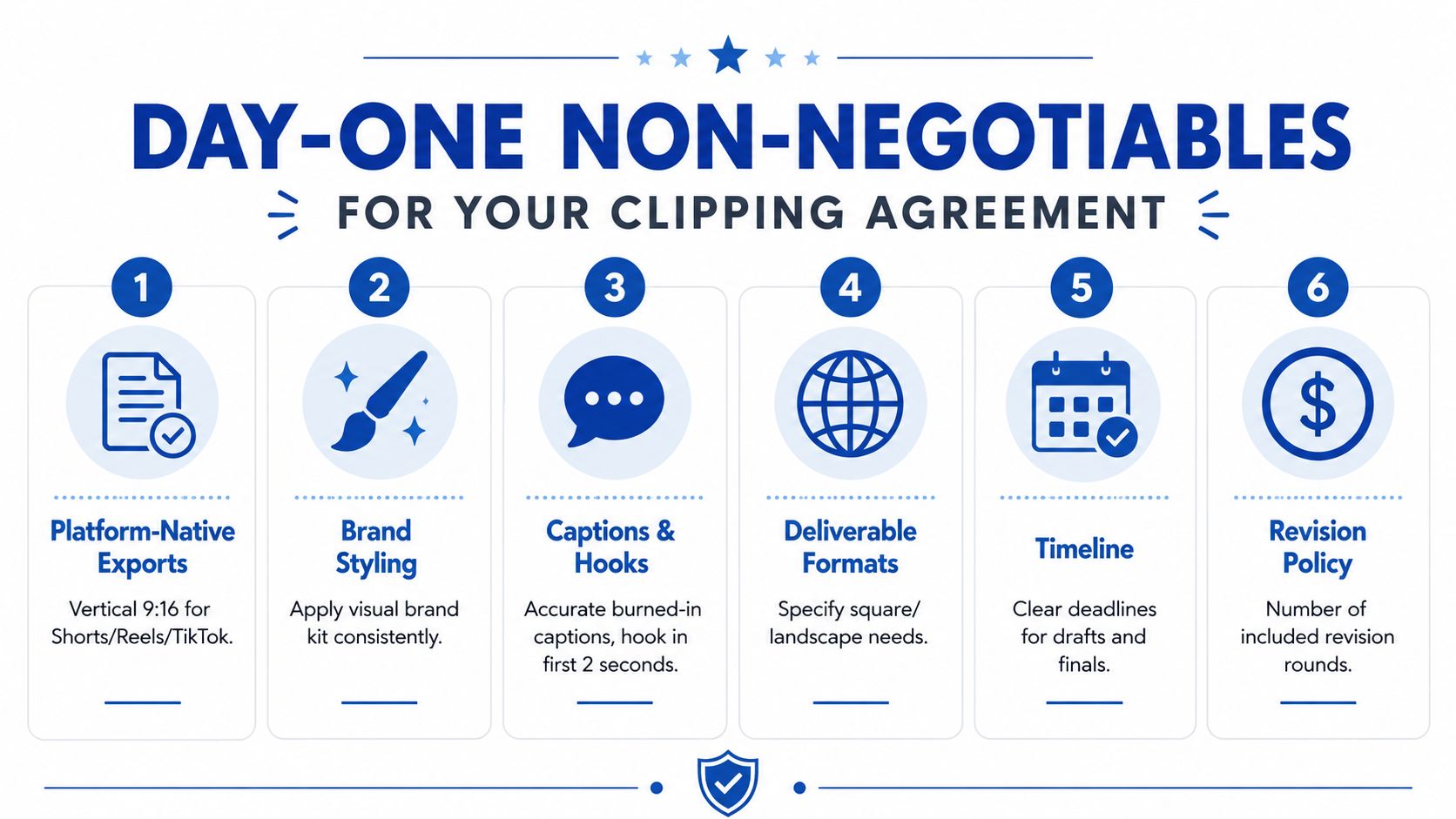
Put these items in writing before any work starts
- Platform-native exports: Vertical 9:16 for Shorts, Reels, and TikTok, plus square or if you need them.
- Brand styling: Fonts, colors, logo use, lower-thirds, and any visual rules from a shared kit.
- Captions and hooks: Burned-in captions checked for names and jargon, with the hook in the first two seconds.
- Deliverable formats: Spell out whether you want video clips, audiograms, square cuts, or other versions.
- Timeline: Set a clear draft and final deadline.
- Revision policy: Define how many revision rounds are included.
Those six items solve most early disputes. They also tell you quickly whether the provider thinks like a professional or like a casual editor. If they push back on basics, walk away.
Ownership matters too. The agreement should say who owns the finished assets, what happens if the relationship ends, and whether there's any kill-fee language. That protects the show if the fit breaks down after the first few deliveries.
Non-negotiable: If captions haven't been checked against names and jargon, the work isn't done.
A good agreement also includes expected clip count per episode. Without that, a “great month” can turn into five clips when you expected ten. For a broader service benchmark, this content repurposing agency overview helps frame what a full-service handoff looks like.
Pricing Models and What They Really Cost You
Per-clip pricing looks simple. It rarely is. A low rate per clip can turn expensive once revisions, rush requests, format changes, and caption fixes show up on the bill. The quote that looks cheapest at the start can end up costing more than a cleaner package with clearer boundaries.
The four models behave very differently
Per clip works for testing, but it gives you cost uncertainty. You know the unit price, not the final bill. Monthly retainers buy capacity, but they punish slow months because you pay whether the show is full or light. CPM-style payouts tie compensation to verified views, which can work for some media teams. They fit most B2B podcasts poorly, because a clip can build trust without ever chasing huge view counts.
Productized per-asset pricing is the model busy teams usually prefer. You buy a defined deliverable, and the revision burden is built into the package. That makes budgeting and vendor management much easier.
The market data puts business-oriented clipping around $0.80 to $3.00 per 1,000 verified views in some cases Clipspeed. That only works when performance tracking is clean and agreed upfront.
One more benchmark matters. A weekly show can produce 60 to 100 clips per month from four episodes Clipspeed. That is the kind of volume that makes a fragmented pricing model painful fast.
If you are sanity-checking a quote, compare it against the finished asset, not the edit itself. That is the unit that reaches the audience, which is what matters more.
The Done-for-You Alternative Worth Comparing Against
A done-for-you repurposing service changes the math because the buyer stops managing the assembly line. One recording goes in, and the team returns a full content pack. In this model, the source can be a podcast, interview, keynote, webinar, or meeting recording.
RepurposeYourContent is one example of that model. It turns one long-form recording into 20 to 30 ready-to-publish assets in 72 hours, including 8 to 12 short-form video or audio clips, 6 to 8 social posts, 4 to 6 quote graphics, 1 to 3 carousels, audiograms, and an SEO-ready blog post RepurposeYourContent.
What that changes for a busy team
The client side is light. One recording goes over, and the handoff takes about 15 minutes. The pack is built in the client's brand voice from a brand kit, and the workflow includes unlimited revisions. Pricing starts at $14 per finished asset, and the turnaround includes a 72-hour guarantee or you don't pay.
That matters because the hidden job isn't editing. It's coordination. Freelancers need direction. Agencies need management. AI still needs human review. A productized service removes most of that friction.
If the goal is consistent publishing, this model is easier to run. It gives you a repeatable outcome instead of a pile of separate vendor tasks. That's why it's the benchmark worth comparing against, even if you still choose a freelancer.
A deeper look at the service model is here in the repurposing agency overview, but the buying question is simpler. Do you want to manage edits, or do you want finished assets back on a deadline?
Your Next Step and How to Validate Any Provider Fast
Start with the paid test project. Book a sample or request two finished clips from your top two candidates. Use the same source segment for both. If one provider can't handle the same input cleanly, that's your answer.
Then send one real recording to your chosen provider. Time the handoff. Good providers make this painless. Weak ones turn it into a project management exercise.
Review the returned assets against the essentials. Check the hook timing. Check caption accuracy. Check brand styling. Check whether the clip selection feels editorial or random. If the work misses on judgment, no amount of revision fixes the core problem.
If the goal is to compare a freelancer against a productized done-for-you option, request a sample from RepurposeYourContent and book a call. One recording should be enough to see whether the provider can return finished clips, posts, graphics, and a blog post on time.
Tags:


