8 Playbook Examples: Repurpose a Single Recording
Discover 8 playbook examples that show how to turn one recording into clips, graphics, carousels, blog posts, emails, case studies, and scripts.
A single recording can become a full content system, but it often gets published once and then abandoned. A focused repurposing sprint can still take 60 to 120 minutes for one source piece, even with an efficient workflow, according to this practical repurposing workflow guide. That cost makes every unused podcast, keynote, interview, sales call, and livestream an expensive missed opportunity.
Playbook examples solve that problem with repeatable steps. Each one shows how to turn a recording into clips, quote graphics, carousels, blog posts, emails, case studies, or sales scripts. The strongest systems start with one source asset, assign an owner, define the outputs, and make every format fit its channel. The U.S. federal Digital Services Playbook helped establish this practical model with 13 key plays that turned broad operational goals into repeatable actions.
Below are eight playbook examples with realistic DIY time costs, workflow details, and clear trade-offs. Teams that need clip production guidance can also review this AI editing guide for short clips.
1. The Clip-First Content Playbook
Short clips often deserve priority over the blog post. They isolate the strongest moments in a recording and create distribution assets that work without requiring viewers to watch the full episode.
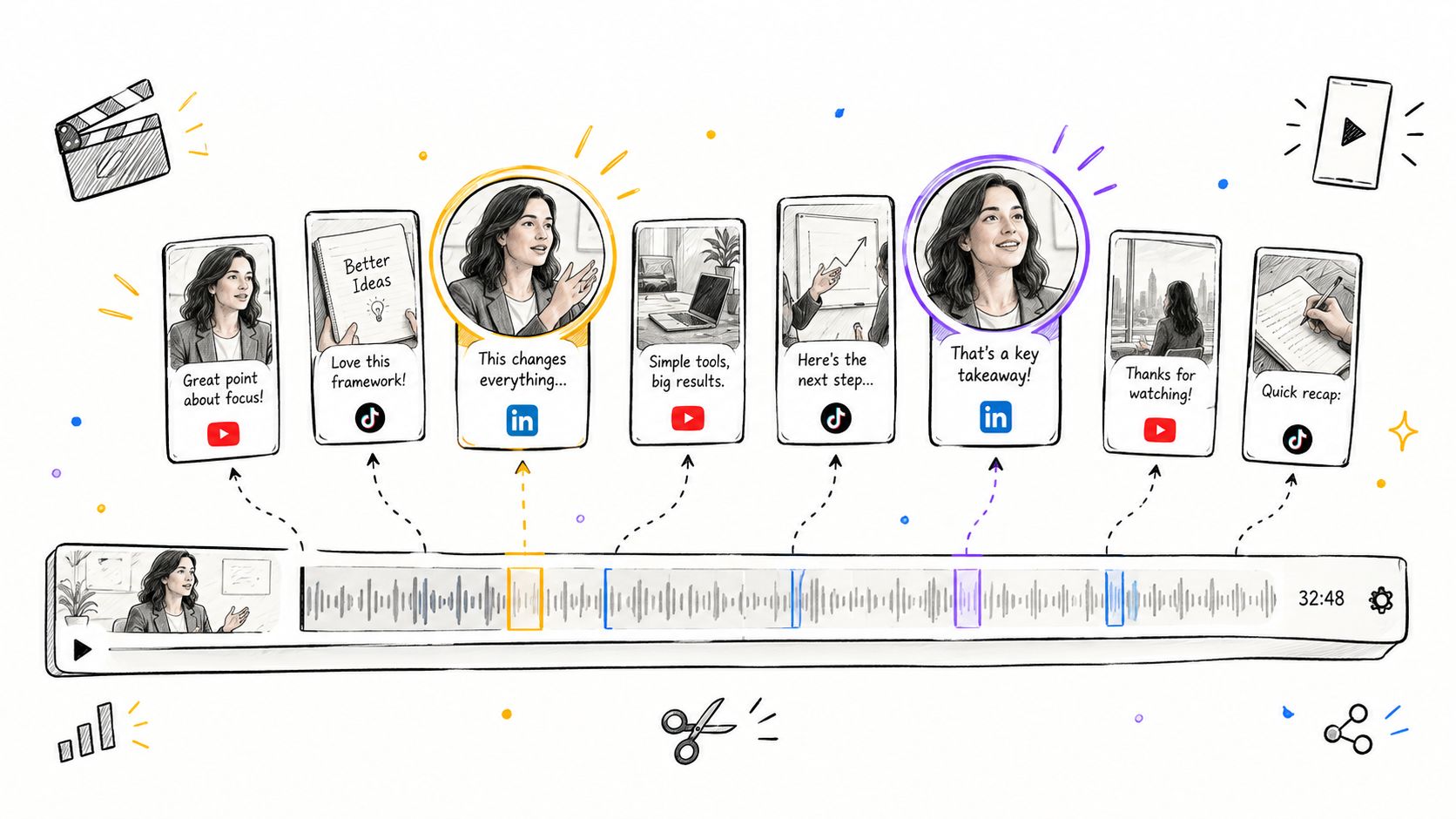
Start with one recording and identify moments that carry a complete idea. Review surprising insights, strong opinions, customer language, objections, and advice that needs little context. Turn each selected segment into a 15 to 90-second clip with captions, a clear opening hook, and a direct connection to the longer recording.
A practical three-step workflow
- Mark the recording. Review the source and flag usable moments. A focused repurposing sprint takes 60 to 120 minutes per source piece.
- Build the clips. Trim pauses, add captions, format the video, and check the opening frame. Poor audio, unclear speakers, and revision requests increase production time.
- Create downstream assets. Adapt each clip into a social post, quote graphic, audiogram, or blog section. Assign an owner before production starts so these follow-up assets do not get abandoned.
Practical rule: If a moment expresses one complete idea in three sentences or fewer, review it for a clip.
The clip-first model gives every format a shared source. A quote graphic can reuse the speaker's statement. A LinkedIn post can explain its context. A blog section can expand the argument. One useful moment becomes a connected set of assets rather than one isolated upload.
For the editing sequence, follow this guide to repurposing long-form video into short clips.
DIY production preserves editorial control, but the team must handle timestamp review, editing judgment, caption formatting, brand consistency, and approvals. A done-for-you editor reduces that workload, while adding coordination and revision costs. Teams can flag timestamps during recording to shorten the first review and then test different caption treatments across clip variations.
2. The Quote-Graphic Authority Playbook
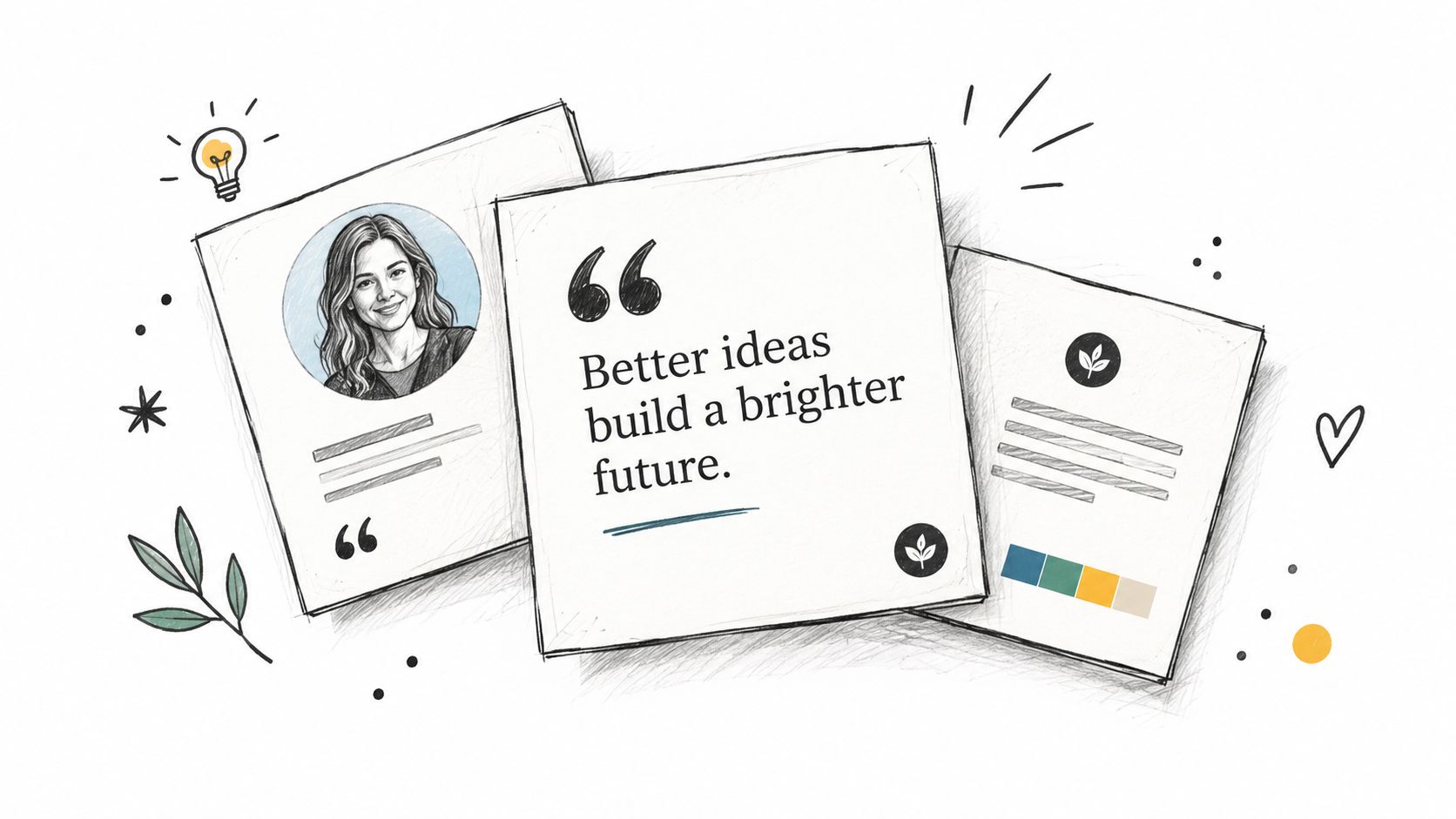
A strong quote graphic turns one precise statement into a reusable authority asset. The playbook extracts clear ideas from a recording and adapts them for LinkedIn, Instagram, email headers, landing pages, and slide decks.
Start with a transcript or timestamped review. Select statements that communicate a useful idea without a long explanation. Edit only for clarity and length, then apply the brand kit: typography, colors, logo placement, portrait treatment, and layout.
What makes a quote usable
Strong quote graphics usually meet three conditions:
- Clear meaning: The statement makes sense without a paragraph of setup.
- Specific language: The speaker gives a sharp observation, useful principle, or memorable contrast.
- Visual flexibility: The wording fits the layout while remaining easy to read.
Prioritize statements tied to real decisions. A founder explaining why a deal stalled, a customer describing a buying barrier, or an operator outlining a process creates more authority than a general statement about success.
Batch design reduces context switching, but it does not fix weak source material. Review the full set before production, remove repetitive ideas, and rank the strongest quotes by likely reuse. A polished graphic still feels generic when the underlying language is vague.
Step-by-step production workflow
- Review the source. Mark timestamps and copy the surrounding context.
- Shortlist quotes. Keep statements that stand alone and express one complete idea.
- Edit for display. Remove verbal clutter without changing the speaker's point.
- Build the design. Apply the brand kit, then check contrast, spacing, and readability.
- Create variants. Resize approved assets for each channel and flag any layout that needs a separate treatment.
- Approve and reuse. Prepare captions, email placements, or carousel adaptations at the same time.
The manual workflow covers transcript review, selection, copy editing, design, resizing, accessibility checks, and approval. A focused batch can take several hours when the recording needs extensive review or the brand system is undocumented. A done-for-you designer reduces hands-on production, but adds briefing, coordination, and revision costs. Marking timestamps during recording can shorten the first review.
Use this guide to create image quotes for social media for the design process.
A quote asset can open a carousel, lead an email, or support a caption that directs readers to the full recording. Static graphics are easy to reuse, but their impact depends heavily on exact wording and design quality.
3. The LinkedIn Carousel Thread Playbook
A single LinkedIn post can disappear quickly. A carousel thread gives one recording a structured narrative that unfolds across several publishing days.
The producer begins by identifying the recording's central argument. That argument becomes a sequence of related carousels. One post introduces the problem. Another presents the framework. A later post explains implementation. The final post can address mistakes, objections, or next steps.
Each carousel may contain five to ten slides, while the series can run across three to five posts. Those figures describe the planned format, not a guaranteed performance result.
A step-by-step production sequence
- Extract the narrative. Mark the recording's problem, insight, supporting examples, and action steps.
- Map the series. Assign one purpose to each carousel. Avoid placing every idea in the first post.
- Write slide copy. Use one point per slide and keep the first slide focused on a clear hook.
- Design the sequence. Use consistent branding, but vary visual rhythm so the carousel doesn't become a text wall.
- Schedule the thread. Publish each installment with a short explanation and a reason to follow the next one.
The manual cost includes transcript review, outline development, slide writing, design, proofreading, and scheduling. For a founder or marketer, this can consume most of a workday before revisions begin.
This LinkedIn carousel guide provides a useful format reference. The practical trade-off is reach versus production complexity. A carousel can explain a complex idea more effectively than a clip, but it requires stronger editorial structure and more design work.
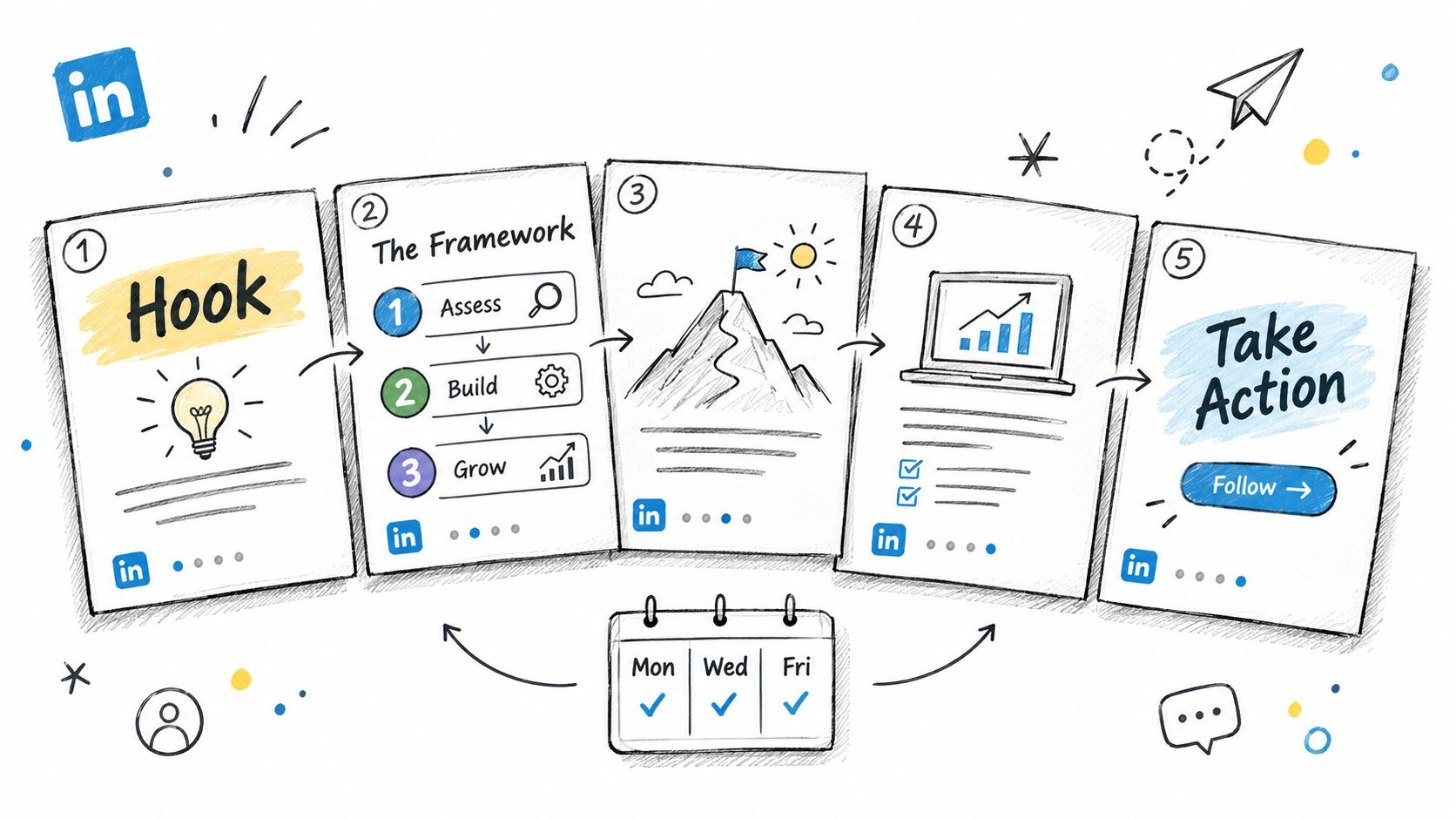
A recording about pricing strategy, for example, could become a thread about the pricing problem, three negotiation principles, a call preparation framework, and common mistakes. Each post stands alone, but the series rewards readers who follow the complete argument.
4. The SEO Blog Post and Internal Linking Playbook
A recording can provide the raw material for a search-focused article, but transcription alone isn't a blog strategy. The editor must identify the search intent, reorganize spoken language, remove repetition, and add useful internal links.
A strong workflow starts with one primary query and a small group of related questions. The article answers the main question early, then expands through clear H2 sections. Relevant pages receive internal links, creating a connected content library instead of a collection of isolated posts.
The production sequence
- Transcribe and clean: Remove filler, repetition, off-topic discussion, and conversational fragments.
- Build the outline: Group the recording's ideas around the reader's problem, not the order of the conversation.
- Draft the article: Preserve the speaker's expertise while adding context and clear transitions.
- Add internal links: Connect the article to relevant service pages, case studies, and supporting posts.
- Review for search quality: Check headings, metadata, readability, citations, and the direct answer paragraph.
A manual version takes time across research, editing, SEO planning, writing, and review. A solo creator may spend 8 to 15 hours of editor time per hour of source content without automation, according to this content repurposing workflow analysis. Templates and batching can reduce that burden, but they don't replace editorial judgment.
The best source material often comes from podcasts, founder interviews, keynotes, courses, and customer conversations. A sales call can become an article about objections. A product interview can become a buying guide. A keynote can become a practical framework.
Teams building a connected publishing system can use this content pillar strategy guide. For internal linking principles, the blog internal linking strategy guide offers additional guidance.
The trade-off is durability versus effort. Social assets can publish quickly, while a well-structured article requires more preparation. The article can continue supporting discovery and conversion after the original recording is no longer new.
5. The Email Nurture Sequence Playbook
Email can turn one recording into a guided lesson and a planned series of next actions. Each message delivers one idea, explains its relevance, and gives the subscriber a clear action.
Start with the source and audience. A podcast interview might produce an email about the guest's central argument, another about a practical framework, and a third about common mistakes. A keynote can become a sequence that moves from problem awareness to implementation. A sales call can become educational content addressing a recurring buyer concern, provided confidential details stay protected.
Build the sequence around reader decisions
- Email one introduces the core tension. Link to the recording and explain why the issue matters now.
- Email two isolates one insight. Give the reader an idea they can apply immediately.
- Email three adds an example. Show how the principle appears in a real business situation.
- Email four handles resistance. Address the concern that could delay action.
- Email five provides a framework. Turn the recording's advice into a simple operating process.
- The final message directs the next step. Invite a reply, consultation, download, or full recording view.
The workflow is straightforward, but the quality depends on sequence logic. Review the transcript, choose the narrative, draft each message, edit for clarity, develop subject lines, check links, and secure approvals. Every email must work independently while still giving subscribers a reason to open the next one.
A DIY version takes focused time across those steps. Done-for-you production reduces the drafting and review load, while the internal team still needs to approve positioning, claims, and calls to action. The trade-off is control versus cadence. Email gives a B2B team direct access to subscribers, but repeated messages can cause fatigue if each send lacks a distinct purpose.
The email nurture sequence planning guide explains the planning logic in more detail.
A webinar can serve as the source as well. One 2026 benchmark summary reports that webinar leads convert to opportunity at 14.2%, compared with 4.1% for paid social, while webinar programs deliver 30 to 50% shorter sales cycles and 40 to 70% lower cost per lead than PPC, as reported in this webinar benchmark summary. Those figures describe that benchmark and should not be treated as a universal forecast.
6. The Customer Story Case Study Playbook
A customer story becomes useful sales proof only when the team can verify the problem, decision, implementation, and outcome. The case-study playbook preserves that evidence in formats sales and marketing can reuse without turning the account into a product advertisement.
Start with consent and source records. The editor identifies the customer's original challenge, alternatives considered, solution adopted, and changes that followed. Result claims require supporting documentation and customer approval before publication.
Build the story around buyer decisions
- The situation: Describe the business context and starting problem.
- The decision: Explain why the customer evaluated a change and what influenced the choice.
- The implementation: Show what happened during adoption, including constraints and adjustments.
- The outcome: Present verified results without exaggeration.
- The customer perspective: Use approved language from the interview.
- The next application: Explain where another buyer might face a similar problem.
One approved interview can support several assets: a long-form case study, downloadable PDF, customer quote graphic, short video excerpt, and sales enablement copy. Each format needs its own edit. The article develops the narrative, the sales slide communicates proof quickly, and the video clip preserves natural delivery.
A DIY workflow includes transcript review, fact checking, permission checks, writing, design, video editing, legal review, and customer approval. Done-for-you production removes much of the editing and production load, but internal owners still need to confirm claims, positioning, and usage rights. The main trade-off is speed versus control. Customer approval remains a scheduling dependency either way.
Cross-functional review should happen before final design. Sales can check whether the story answers buyer objections, marketing can test the positioning, customer success can verify the implementation details, and legal can review permissions and claims. Assign one owner to collect those comments so the customer does not receive conflicting requests.
A credible story keeps the original problem and path to the outcome visible. If the recording lacks measurable evidence, explain the process and observed change without manufacturing precision. That restraint protects trust and gives sales a case study they can defend in a live conversation.
7. The Sales Objection Handling Script Playbook
A rep who handles the same pricing objection three different ways across a quarter has reusable language to extract. The strongest source is a real sales call, negotiation, or training recording, because it captures the buyer's wording and the response that moved the conversation forward.
The editor reviews the recording and groups recurring objections. Each objection becomes a compact reference sheet covering the buyer's concern, response options, usage context, common mistakes, and a short clip from the original conversation.
A realistic workflow example
Step 1: The sales leader selects a recorded call with a clear objection and confirms approved usage rights.
Step 2: The editor transcribes the objection and response, preserving the buyer's natural wording.
Step 3: The enablement lead writes response variations for different buyer roles and deal stages.
Step 4: A designer creates a one-page reference sheet and pairs it with a short video clip.
Step 5: Reps practice the responses and report where the language works or fails.
A playbook gives reps a structure they can adapt in real time. A CFO may need financial justification, while a technical buyer may need implementation detail. Frontline managers and founders may respond to different risks, even when they raise the same objection.
The best objection script sounds like a prepared answer, not a memorized speech.
DIY production includes transcript review, editorial cleanup, response writing, design, training, and manager approval. It also creates an ongoing maintenance task. A sales leader must assign ownership for reviewing new objections, approving revisions, and keeping the current version in one location.
The Pipedrive sales playbook guide describes playbooks as practical guides that can include buyer profiles, sales stages, scripts, objection handling, tools, and performance measures. That wider structure connects the objection sheet to the rest of the sales process instead of leaving it as a standalone document.
Done-for-you production reduces the editing and design burden, but internal sales owners still need to validate the responses and train reps. The trade-off is standardization versus flexibility. Fixed wording helps a new rep prepare, while response options preserve judgment. A useful playbook sets principles, examples, and boundaries, then leaves room for the conversation in front of the rep.
8. Production Time and Pricing Summary
Every playbook has a production cost. Someone reviews the recording, selects useful moments, creates the assets, checks brand alignment, and manages revisions. DIY time is the main variable, because each format demands different skills.
Clips require editorial judgment, cutting, captions, and platform formatting. Quote graphics require strong excerpt selection and design. Carousels require narrative structure and slide production. Blog posts require search planning, drafting, internal linking, and editing. Case studies add evidence review and customer approval. Sales scripts require enablement input, testing, and ongoing updates.
One source recording can support a wider content system. A documented strategy turned five pillar posts into 65 total content pieces, compared with 20 independent pieces in the prior quarter. The same report described 225% higher output, 68% lower cost per asset, 380% greater reach, and 150% more content-attributed leads, while the team reported 40% less stress, according to this content repurposing strategy report. Those outcomes reflect that specific strategy, not a guaranteed benchmark.
A separate case study repurposed one webinar into five blog posts, three short videos, and ten social snippets. It reported total content engagement increasing by 35% in one quarter. Impressions rose from 50,000 to 150,000, CTR moved from 0.5% to 1.2%, trials increased from 27 to 65, CPL fell from $185.19 to $76.92, and ROAS increased from 1.5x to 3.2x, as detailed in this content repurposing case study.
The production trade-offs are clear:
- DIY clip production: Review, selection, editing, captions, formatting, and approval.
- DIY written content: Transcription, restructuring, search optimization, drafting, and proofreading.
- DIY design systems: Templates, brand documentation, resizing, and quality checks.
- Done-for-you production: A specialist team handles editing, writing, design, and packaging end to end.
RepurposeYourContent lists a done-for-you model starting at $14 per finished asset, based on its publisher information. The service accepts one long-form recording and delivers finished content, removing software setup and production management from the client's workload.
8 Playbooks Comparison: Content, Sales & Production
| Playbook | Implementation complexity | Resource requirements | Expected outcomes | Ideal use cases | Key advantages |
|---|---|---|---|---|---|
| The Clip-First Content Playbook | Medium, requires editing and selection skills | Video editing, captioning, platform formats; 2–3 hrs DIY per 45min recording | Higher short-form engagement (≈5–8x), increased discoverability, many shareable assets | Creators with long-form recordings seeking viral distribution and repeatable social content | High engagement, multiplies content, SEO-friendly video pages |
| The Quote-Graphic Authority Playbook | Low–Medium, design-focused, less technical | Graphic design, brand kit, image assets; ~45–60 min per graphic | More saves/shares, sustained brand recognition, long shelf life | Thought leadership, brand building, quick visual social posts | Reusable assets, cross-platform fit, low production friction |
| The LinkedIn Carousel Thread Playbook | High, requires narrative structure and design | Slide design, copywriting, scheduling; 4–6 hrs per thread | Strong LinkedIn engagement (≈4–6x), serialized audience attention, bookmarks | B2B thought leadership, frameworks, multi-post storytelling | Deep engagement, builds authority, drives repeat profile visits |
| The SEO Blog Post + Internal Linking Playbook | High, SEO and writing expertise needed | Transcription, keyword research, writing, internal linking, schema; 6–8 hrs per post | Evergreen organic traffic, ranking for long-tail keywords over months | Long-term organic growth, lead capture, content cluster strategies | Compounding search value, supports other assets, improves domain authority |
| The Email Nurture Sequence Playbook | High, copywriting and deliverability expertise | Email platform setup, sequence writing/design/testing; 15–20 hrs per 7-email sequence | Direct measurable engagement (15–25% opens, 3–5% clicks), higher conversions | Nurturing webinar attendees, converting leads, product launches | Reaches full list, predictable conversion path, measurable ROI |
| The Customer Story Case Study Playbook | High, coordination, approvals, fact-checking | Customer interviews, metric verification, writing, PDF/video design; 10–12 hrs per case study | Strong conversion lift (30–50% higher vs generic), sales enablement asset | B2B sales enablement, enterprise case pitching, trust-building campaigns | Credibility multiplier, industry-specific proof, long shelf life |
| The Sales Objection Handling Script Playbook | Medium, analysis and training required | Call transcripts, scripting, short video clips, training materials; 4–6 hrs per recording | More consistent rebuttals, faster ramp for reps, improved close rates | Sales teams, onboarding, objection-prone deal stages | Standardizes responses, preserves best practices, speeds rep training |
| Production Time and Pricing Summary | Low, informational overview | Consolidated DIY time estimates and done-for-you pricing (48–72 hr turnaround, from $14/asset) | Clear planning inputs for resource allocation and budgeting | Project scoping, vendor selection, team planning | Quick comparison of time vs cost, simplifies decision-making |
The Done-for-You Alternative
DIY repurposing makes sense when a team has spare editorial capacity, documented brand standards, and someone who can own production every week. It becomes a poor trade when founders, marketers, or subject-matter experts must spend their best working hours searching timestamps, rewriting transcripts, editing captions, and managing design revisions.
A useful content operation needs more than a folder of assets. It needs an owner, a repeatable intake process, clear formats, review rules, version control, and a publishing plan. The strongest playbooks define what happens after the recording ends. They also specify who approves claims, who checks brand consistency, and who updates the process when the audience changes.
The production burden is easy to underestimate. One workflow guide reports 8 to 15 hours of editor time per hour of source content without automation, while templates and batching can reduce a solo creator's work to a 3 to 5-hour weekly sprint, according to this creator repurposing workflow guide. Even the shorter sprint can displace sales calls, customer work, strategy, and creative planning.
A done-for-you service changes the client's role. The client sends one recording, such as a podcast, keynote, interview, sales call, course session, livestream, or meeting recording. The production team handles selection, editing, writing, design, formatting, and delivery.
With RepurposeYourContent, the stated delivery includes 20 to 30 ready-to-publish assets in 72 hours. The package can include video clips, LinkedIn posts, quote graphics, carousels, audiograms, and a blog post. Content is written in the client's brand voice, and the service includes unlimited revisions.
The client's time is about 15 minutes for each recording. That time covers sending the source, confirming brand details, reviewing the delivery, and requesting changes. The stated service terms include a 72-hour turnaround guarantee, or the client doesn't pay.
The service also lists pricing from $14 per finished asset, depending on the plan and volume. The relevant comparison isn't only the price per asset. It includes the opportunity cost of internal production, the time required to train editors, and the consistency lost when content gets created sporadically.
A strong recording shouldn't disappear after one publication. Send one recording to RepurposeYourContent, request a sample, or book a call to discuss a 72-hour content package built in the brand's voice.
Tags:




