Repurpose Town Hall Recordings: Boost Your Content Strategy
Master how to repurpose town hall recordings for internal comms & external marketing. Get a step-by-step guide to create clips, posts, and articles.

A company can repurpose town hall recordings effectively by separating internal-only material from public-safe material first, then turning one 45-minute recording into 30 assets through a structured workflow. Teams that repurpose systematically can produce 20 to 30 asset formats within 48 hours and reduce client effort to about 15 minutes per recording when the process is handled well.
Most employer-brand teams are chasing content they already have.
The CEO records it every month. The leadership team says it out loud on a town hall. Employees hear the mission, priorities, wins, and real culture in context. Then the recording gets posted once on SharePoint, buried in Microsoft Teams, or ignored in an intranet folder.
That's the waste.
Recorded content is already a proven source of pipeline and audience growth. 73% of B2B marketers say recordings are their #1 source of quality leads, yet only 1 in 3 teams have a scalable way to create content from them according to Recast Studio's breakdown of repurposing content value. For internal comms and employer-brand teams, the same problem shows up in a different form. The raw material exists, but the extraction process doesn't.
Town halls have a dual use if the workflow is disciplined. Internally, they become recaps for absent employees, searchable knowledge assets, onboarding context, and Q&A archives. Externally, approved clips become leadership visibility content, recruiting posts, and values-in-action proof.
The gap isn't authenticity. The gap is governance.
A strong thought leadership content strategy doesn't always start with a podcast or keynote. Sometimes it starts with a recorded all-hands that already captured the exact message the market and future hires need to hear.
Your CEO's Best Content Is Hiding in Plain Sight
Employer-brand teams often pay to script content that leadership already delivered naturally in a town hall.
That's why town halls are so valuable. They contain unscripted conviction, clear priorities, answers to hard questions, and examples of how the company operates. A polished recruiting video can look better. It rarely sounds more credible.
Why town halls work better than manufactured culture content
A town hall usually includes the material external audiences care about most:
- Vision in plain language that doesn't read like website copy
- Leadership visibility that feels current, not staged
- Recognition moments that show what the company rewards
- Change context that helps employees and candidates understand direction
What makes this useful internally also makes it useful externally. The same recording can support asynchronous communication for employees and selective storytelling for recruiting.
Practical rule: Authentic employer-brand content already exists in recorded leadership communication. The missing piece is filtering, clipping, and approval.
The real job isn't editing first
Teams often start in the wrong place. They open Premiere Pro, Descript, or CapCut and begin clipping. That's backwards for corporate recordings.
A town hall isn't a webinar. It can contain confidential financials, customer names, internal disputes, roadmap references, or comments that make sense only inside the company. Before anyone edits a clip, someone has to decide what stays inside and what can leave the building.
That's the operational shift that makes repurpose town hall recordings work. Not more creativity. Better controls.
A useful internal archive and a strong external employer-brand stream can come from the same recording, but they can't share the same publishing rules. The internal side needs structure and retrieval. The external side needs approval, context, and deliberate distribution.
Dual use beats single upload
A single town hall can serve two audiences without creating two separate productions.
One path keeps the whole discussion useful for employees. The other extracts approved moments that reflect leadership, values, and culture in public. That's a far more efficient use of the recording than posting the full file once and moving on.
What Stays In and What Goes Out
Before anyone tries to repurpose town hall recordings, the company needs a filter.
Without one, the team will either publish too little because everyone is nervous, or publish the wrong thing because no one defined the rules. Neither outcome helps.
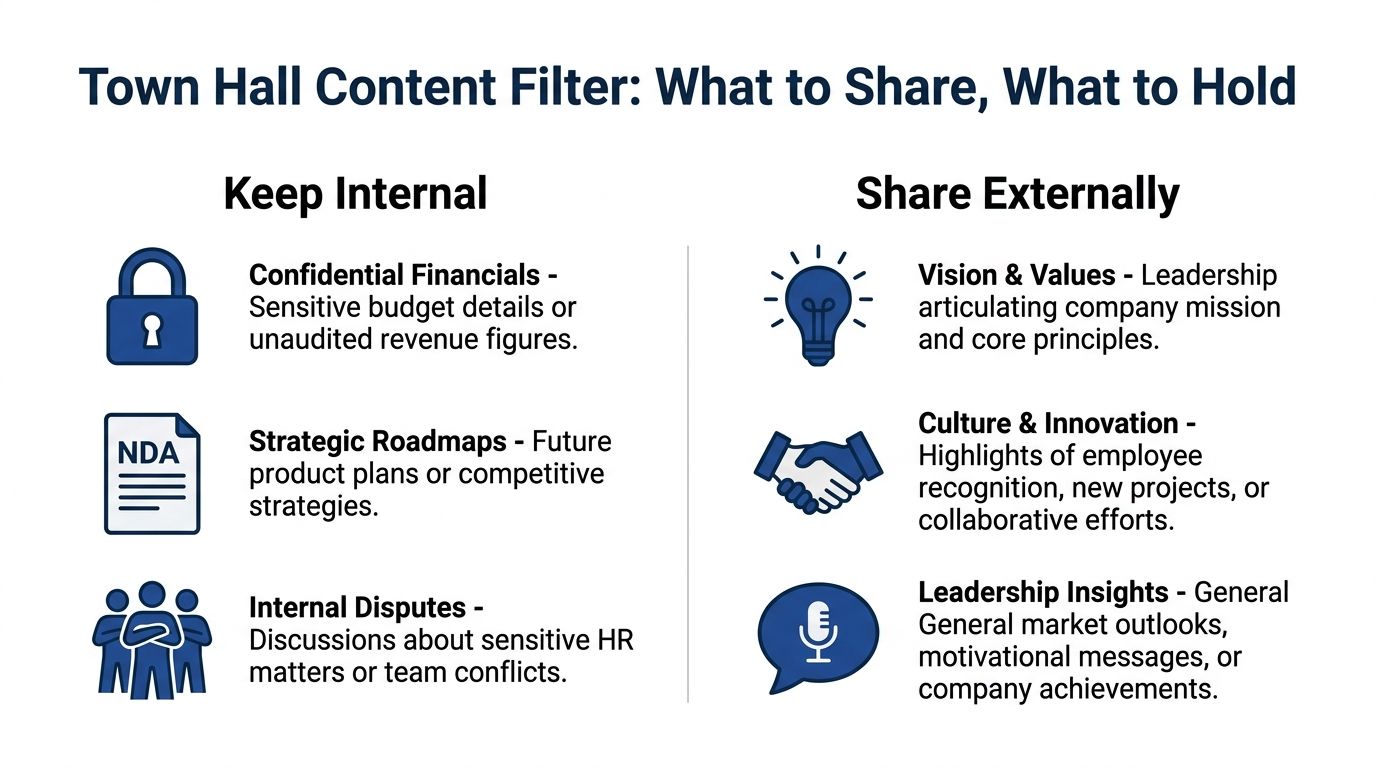
Start with a simple two-bucket filter
Every segment from a town hall should go into one of two buckets.
| Bucket | What belongs there | Typical destination |
|---|---|---|
| Internal only | Sensitive business context, personnel issues, unannounced plans | Intranet, private video library, internal recap email |
| Externally shareable | Vision, values, recognition, broad market perspective, safe culture moments | LinkedIn, careers page, recruiting nurture, employer-brand campaigns |
This sounds obvious. In practice, teams blur the line constantly.
Common mistakes in town hall repurposing include leadership discomfort with public access to raw footage, too much reliance on manual summaries from small teams, and weak post-event engagement tracking, as noted in Staffbase's guide to virtual town halls. That's why the filter has to exist before editing starts.
The review checklist that prevents bad publishing decisions
Use this checklist on every proposed external clip:
- Financial sensitivity: Does the segment mention budget changes, targets, forecasts, or unaudited performance?
- Roadmap exposure: Does it reveal unannounced product work, strategic priorities, or competitive plans?
- Named parties: Does it mention a customer, partner, candidate, or vendor who hasn't approved public use?
- HR risk: Does it touch team performance, disputes, restructures, compensation, or individual employee issues?
- Context risk: Would this clip be misleading without the surrounding internal discussion?
- Disclosure risk: Does it include slides, dashboards, or screens that shouldn't appear publicly?
If the answer is yes to any of those, keep it internal.
If the answer is no, the clip may still need framing. A leadership answer that makes perfect sense in a town hall can feel vague or abrupt on LinkedIn. That's where editing and captioning matter.
Build an approval chain before the first clip goes live
External use needs owners. A simple chain usually works best:
- Internal Comms flags moments worth keeping.
- HR or People team checks culture and employer-brand fit.
- Legal or compliance reviews risk when needed.
- Corporate Comms or Brand signs off on language, framing, and channel choice.
- Executive office or speaker approver confirms tone and intent.
Keep the chain short. If five departments debate every clip from scratch, nothing gets published.
Teams that want a more nuanced content debate can compare native content vs repurposed content performance, but town halls add a governance layer that most content types don't have.
How to Repurpose Town Hall Recordings Manually
Manual repurposing sounds manageable until the work starts.
A one-hour town hall creates a messy production job. There's speaker overlap, Q&A detours, slide references, long pauses, confidentiality concerns, and multiple stakeholder reviews. The final output might look simple. The process isn't.
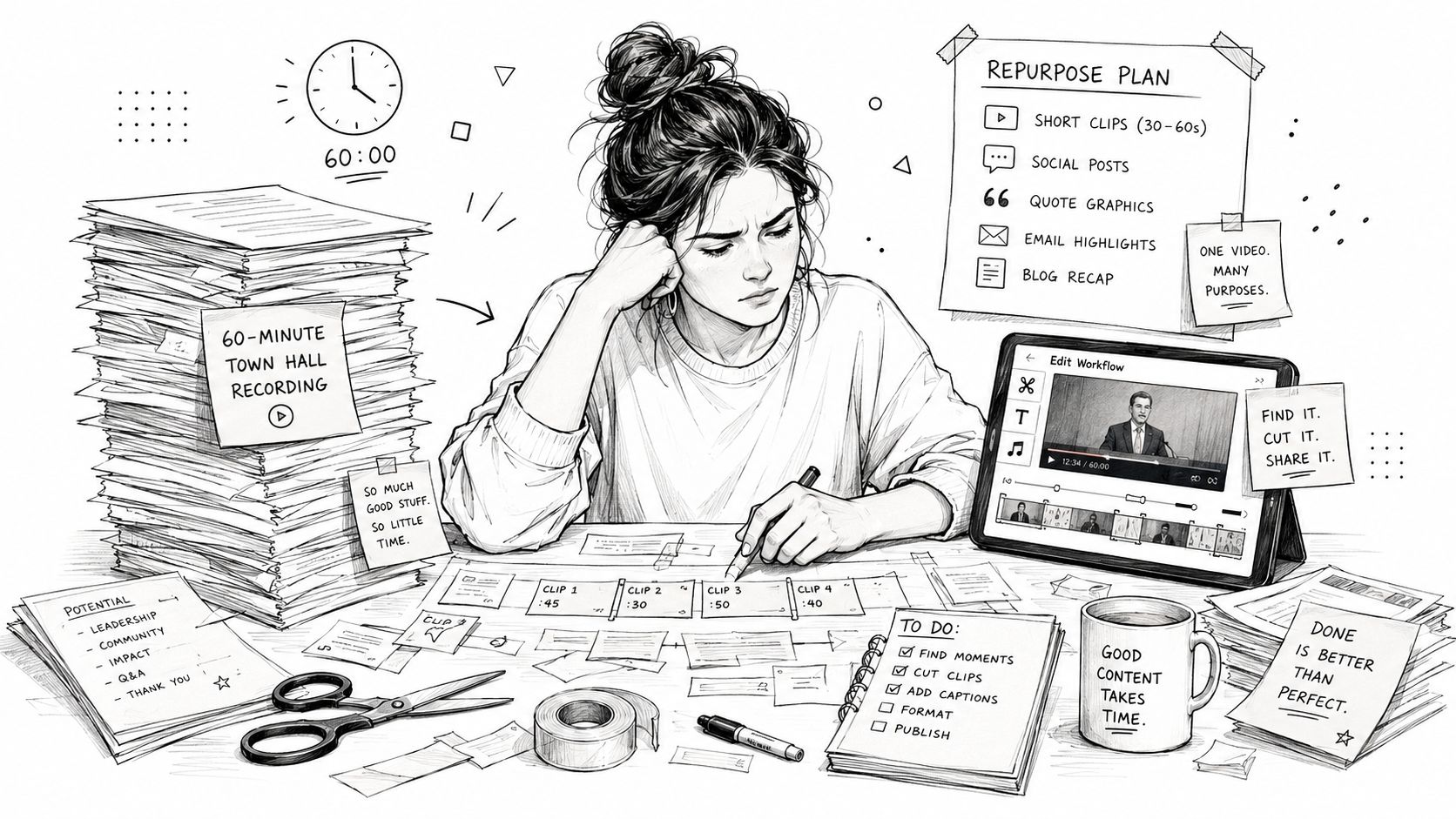
A realistic manual workflow
A marketing manager or internal comms lead handling this manually usually goes through something like this:
Watch the full recording and mark usable moments
Expect about 2 hours. The recording itself may be 45 to 60 minutes, but reviewing, rewatching, and timestamping takes longer.Pull the transcript and clean it up
Plan for about 1.5 hours. Auto-transcripts from Teams, Zoom, or Otter help, but speaker names, jargon, and broken sentences still need cleanup.Apply the internal versus external filter
This often takes 1 hour if stakeholders respond quickly. It takes longer if approvals happen in Slack threads with no clear owner.Clip and caption short videos
This is the heavy lift. DIY repurposing takes roughly 3 hours per recording just to clip and caption video, according to this NewTubers workflow discussion. That's for one usable asset pipeline, not a full content package.Create graphics and write post copy
Allow 3 hours. Someone has to turn a quote into a graphic, adapt copy for LinkedIn, write an internal recap, and make sure the wording matches brand voice.Write the internal summary or blog-style recap
Expect 2 hours for a clean, readable recap that employees will skim.Format the email and intranet package
Add 1 hour to embed links, organize sections, and prepare the send.
That lands near a 15-hour workflow for one town hall if the team wants quality and governance.
Manual work breaks down in the middle
The hard part usually isn't software. It's the handoff points.
- Editing slows down because each clip needs context and captions.
- Approvals stall because nobody decided what external-safe means.
- Writing drags because spoken language doesn't convert cleanly into publishable copy.
- Design becomes repetitive because every asset needs formatting for a different destination.
The recording is the easy part. Post-production is where the hours disappear.
That's also why ad hoc workflows fail. One person might know how to edit. Another might know the employer-brand voice. Another holds the legal context. If those roles aren't coordinated, the town hall stays a recording instead of becoming a content system.
For teams trying to tighten the editing side specifically, this guide to editing recordings for marketing use is directionally useful even though town halls add extra governance.
What manual repurposing does well
Manual workflows aren't useless. They work when:
- the recording is short
- the team only needs a few internal clips
- the approval chain is simple
- one person owns the whole process
They break when the company wants repeatable output every month.
Powering Up Your Internal Communications Strategy
Internal value comes first.
Most companies treat the town hall recording as a compliance archive. It sits there in full length, untouched, and employees who missed it are told to watch the whole thing. That's not a strategy. It's a file dump.
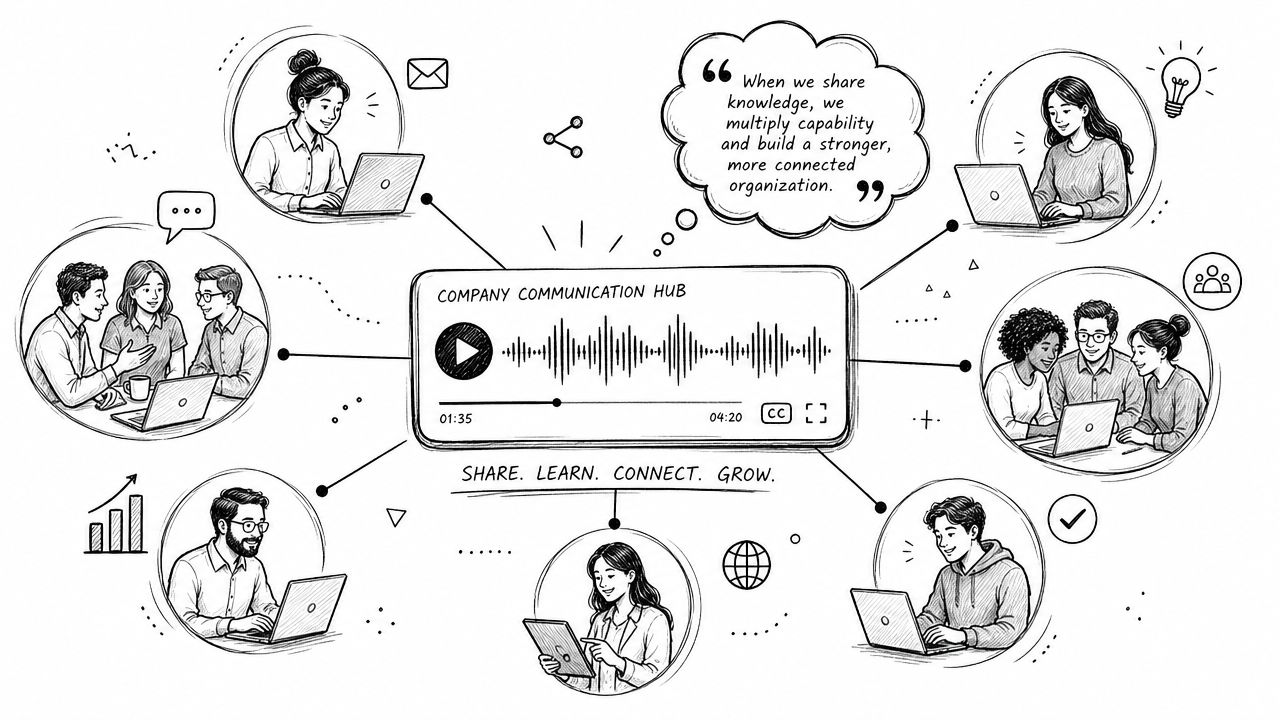
Use the recording to reduce repeat questions
A strong internal package does more than recap. It helps employees find answers later.
According to a 2026 survey, 94% of marketers actively repurpose content for different mediums and channels, with only 6% declining to do so, showing how standard repurposing has become across communication work, as reported in Referral Rock coverage via Intentsify. Internal comms should treat town halls the same way.
Instead of one full replay link, build a bundle:
- A short written recap for people who need the headlines fast
- Three or four embedded clips covering the biggest updates
- A tagged FAQ from the leadership Q&A
- Chapter links by topic so employees can jump to what matters
- A searchable transcript inside SharePoint, Notion, or the intranet
That package respects how employees consume information. Some will watch. Some will skim. Some will search later.
A practical internal workflow example
Here's a simple workflow that works well for a monthly town hall:
Step 1
Pull the full recording from Teams or Zoom and generate a transcript.
If the source file lives in Microsoft Teams, this walkthrough on importing and repurposing Microsoft Teams recordings covers the operational side.
Step 2
Split the content into topic blocks. Examples include company performance, product updates, customer wins, people news, and employee questions.
Step 3
Create internal assets by audience:
- All employees get the recap email and the top clips
- New hires get selected segments added to onboarding context
- Managers get a tighter summary with talking points for team meetings
- Knowledge base owners get tagged clips and transcript excerpts
Step 4
Store everything in one searchable hub with plain naming conventions. Date, speaker, topic, and audience should all be visible.
A video resource can help teams think through internal packaging before they build the archive:
The strongest internal use cases
Internal town hall repurposing works especially well in these scenarios:
| Use case | What to create | Why it matters |
|---|---|---|
| Missed the live session | Recap email plus highlight clips | Employees catch up without watching the full recording |
| Onboarding | Curated leadership clips by theme | New hires hear company priorities in leadership's own words |
| Knowledge retrieval | Searchable transcript and tagged clips | Teams stop asking the same questions repeatedly |
| Change communication | Topic-specific recaps for affected groups | Different teams get only the relevant context |
For adjacent recording types, repurposing meeting recordings for marketing can spark ideas, even though internal comms has different publishing rules.
Turning Town Halls Into Recruiting Magnets
Once a clip passes the filter and approval chain, it can do serious employer-brand work.
That's the underused move. Companies often commission polished recruiting campaigns while ignoring the clearest proof of culture they already recorded. A leader answering a tough employee question on a town hall is usually more persuasive than a scripted careers-page paragraph.
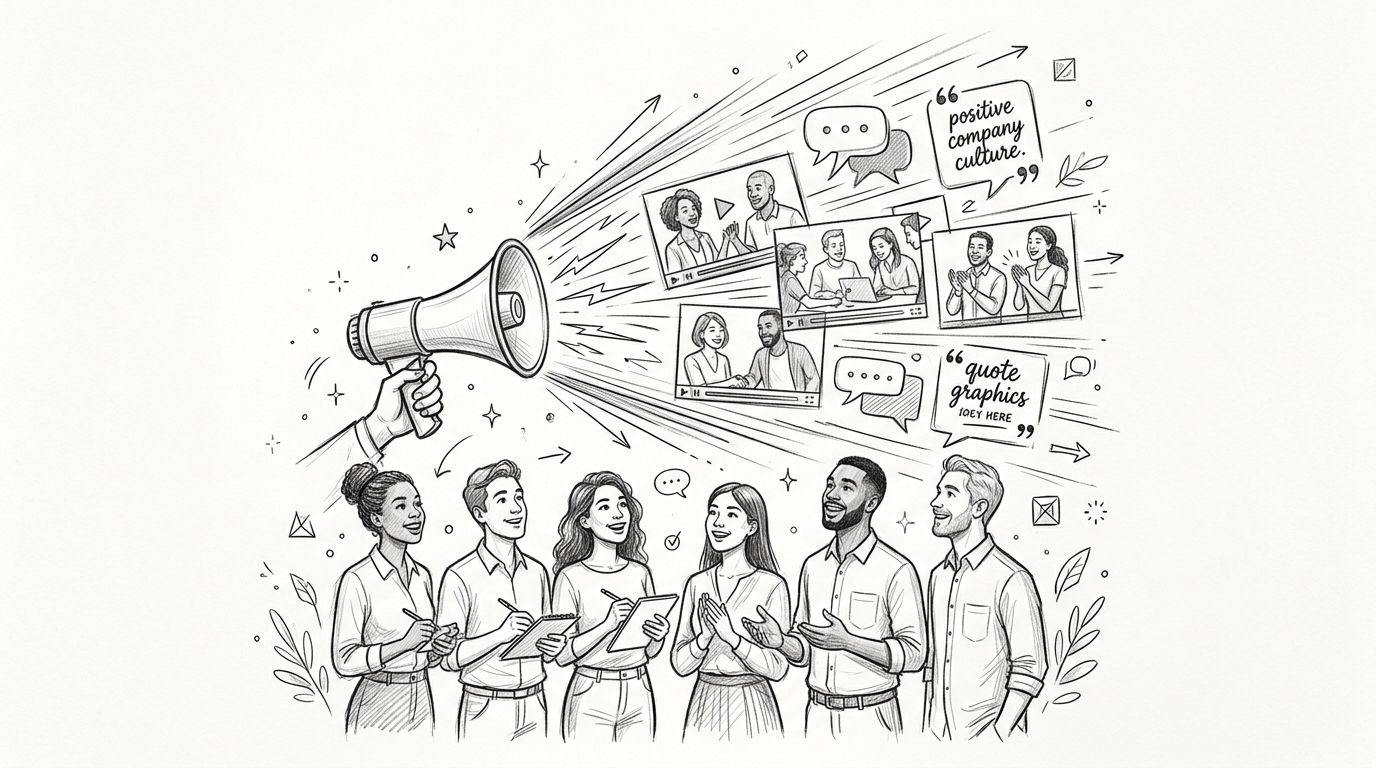
What makes a town hall clip useful externally
The best external moments are broad enough to travel and specific enough to feel real.
Good examples include:
- a CEO explaining why the company exists
- a recognition segment that shows what good work looks like
- a leader describing how teams collaborate across functions
- a values moment tied to a real project, not a slogan
- a market perspective clip without confidential detail
Weak examples are usually too internal. They depend on prior context, mention specific initiatives, or assume the audience already works there.
External employer-brand content should feel true, not private.
Three employer-brand formats that work
Leadership visibility clips
Take a concise statement on mission, direction, or leadership philosophy. Edit it into a short vertical or square video with captions and a clear headline. This works on LinkedIn, recruiting nurture emails, and the careers page.
Values-in-action carousels
Pull one strong quote, then support it with two or three slides of context. For example, if a leader praised cross-functional execution, the carousel can pair the quote with a plain-language explanation of how teams work together.
Culture posts for recruiters
Recruiters need content that feels credible without sounding like corporate copy. Approved town hall moments give them something specific to share with candidates and passive talent pools.
Teams refining distribution can borrow ideas from a broader LinkedIn content strategy for B2B brands, then adapt them for employer brand rather than demand generation.
Keep the message honest
External use should never flatten the nuance out of the original conversation.
A good clip preserves the speaker's voice. A bad one turns leadership into generic brand language. If the original answer was direct, the post should stay direct. If the moment was reflective, the copy should reflect that. Over-polishing is what strips away the value.
One more important point. Not every approved clip belongs on a public feed. Some content is better suited for a careers page, recruiter follow-up, candidate nurture sequence, or private hiring event deck. Distribution matters as much as approval.
For adjacent examples of turning spoken content into public-facing material, repurposing sales call recordings for marketing shows the same principle in a different setting. The content already exists. The extraction and framing make it usable.
The 15-Minute Alternative to the 15-Hour Grind
Manual town hall repurposing burns time in all the wrong places.
The team records the meeting once, then spends the next day or two reviewing footage, cleaning transcripts, clipping video, writing posts, formatting recaps, and chasing approvals. That's a poor use of skilled comms and marketing time.
The done-for-you alternative
A better model is simple. Send one recording, whether it's a podcast, webinar, keynote, interview, or meeting recording, and get 20 to 30 ready-to-publish assets in 72 hours. That includes video clips, LinkedIn posts, quote graphics, carousels, audiograms, and a blog post. Everything is produced in brand voice, with unlimited revisions. Client time is about 15 minutes.
That approach closely matches a proven workflow identified in RingCentral's event content repurposing guide, which starts with transcript extraction and AI-assisted segmentation, then adds human-written copy in the speaker's voice and brand-aligned visual design. The same guide notes that this process can produce 20 to 30 asset formats within 48 hours.
What the handoff usually looks like
A practical done-for-you workflow is straightforward:
Send the recording
This can be a Teams file, Zoom cloud recording, raw MP4, YouTube link, or internal capture export.Share the guardrails
Include the internal versus external filter, brand kit, and any approval notes.Review the first batch
The team checks captions, framing, and tone. Sensitive moments stay out. Strong moments get packaged properly.Publish by channel
Internal comms uses the recap and knowledge assets. Employer-brand or recruiting teams use the approved external set.
Why this works better for busy teams
The gain isn't only speed. It's consistency.
When a structured service handles the extraction, formatting, and packaging, the team stops rebuilding the process every month. That matters if the company wants one 45-minute recording to become 30 assets, not one clip and a forgotten replay. It also matters if leadership expects a 72-hour turnaround guarantee or you don't pay and pricing from $14 per finished asset.
For teams thinking about systematizing more of the pipeline, automation ideas for recording repurposing are useful, but humans are generally still needed in the loop for governance, voice, and approvals.
The strongest option for most internal comms and employer-brand teams is a hybrid operation. Automation handles extraction and speed. Humans handle judgment.
If town halls keep getting recorded and forgotten, it's time to fix the process. Book a call with RepurposeYourContent or request a sample. Send one recording and get back finished content your team can publish.
Tags:




